The score shortlists, but the right tool depends on the kind of image and where it is used. Six checks narrow the list to one or two. Each rests on facts read on 13 November 2026, on vendor pages or, for Adobe Firefly and Canva, on two other sites.
1. Decide what you make
Start with the output, because the tools split here. If your images carry text, look first at Ideogram. If you need a logo that prints at any size, you need vector output, and Recraft generates it directly. If most images become video, Runway and Higgsfield are built for that. A shop owner who needs product photos can ignore vectors and video altogether.
2. Check the commercial rights on the plan you buy
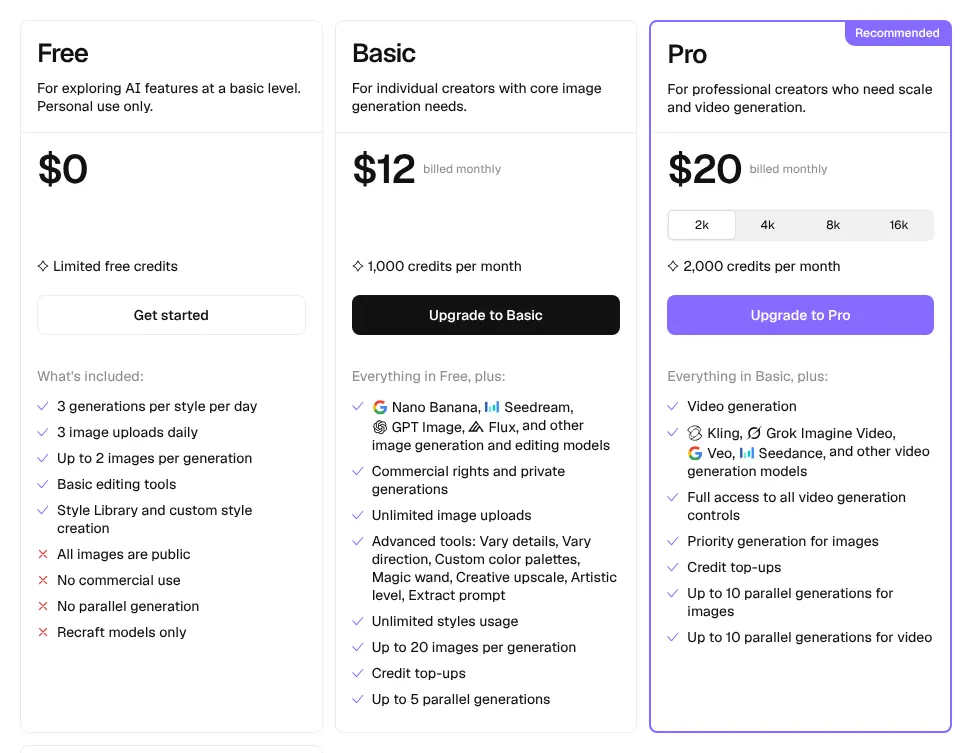
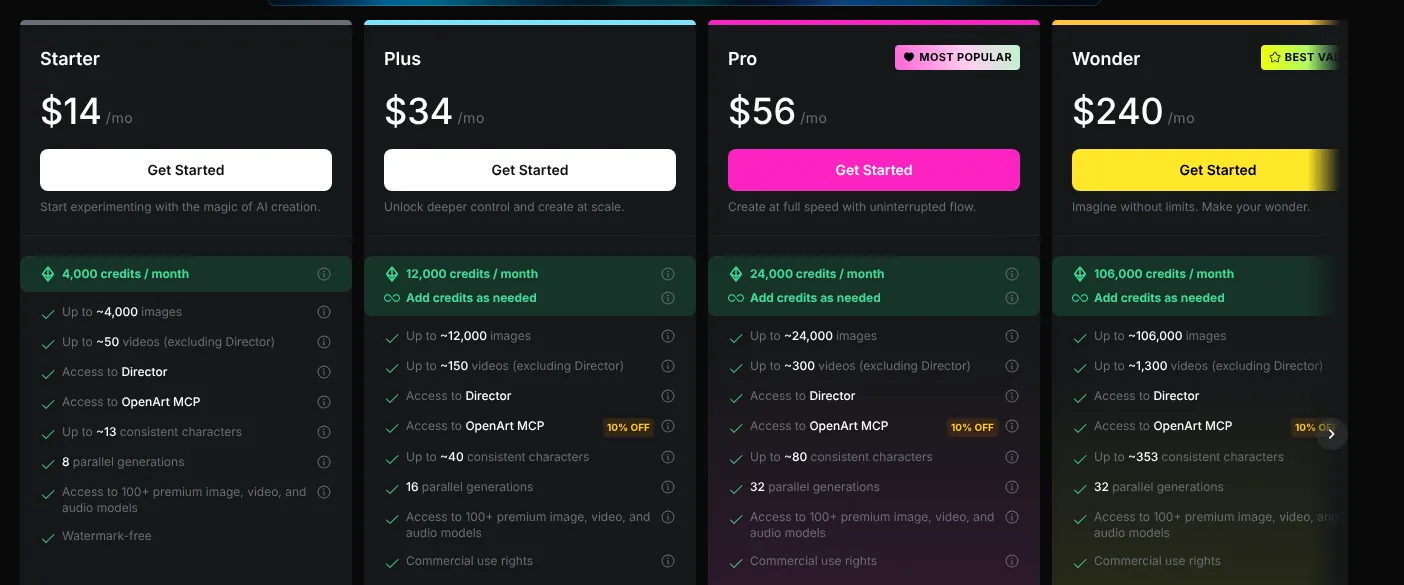
Read the licence of the exact plan before you publish anything for a client. Several free plans forbid business use: Krea and Recraft free images cannot be used commercially, and Magnific free use is personal, with a credit line. OpenArt is the trap among paid plans: Starter at $14 has no commercial rights, which start with Plus at $34. A freelancer who sells designs should budget for the plan that grants them.
3. Count credits, not images
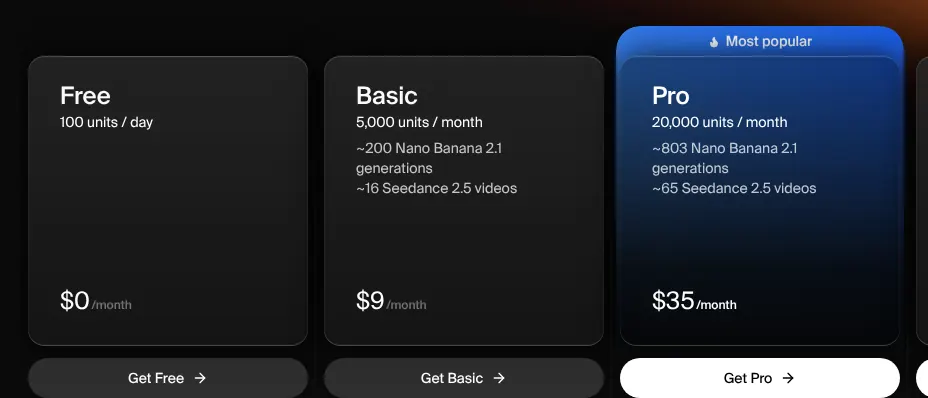
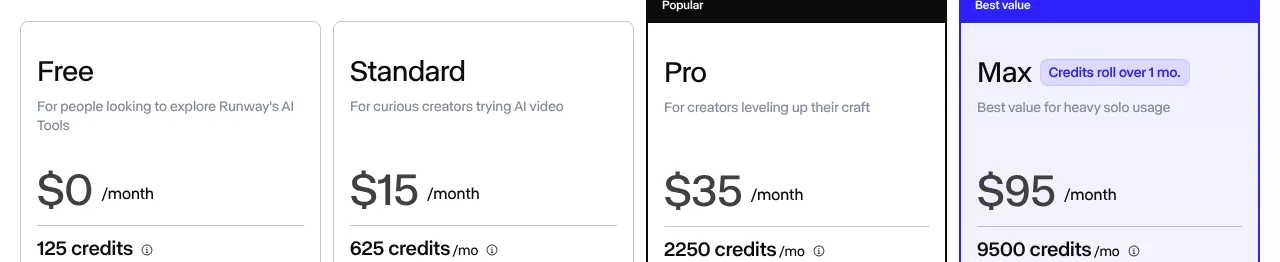
Most tools sell credits, and each model spends them at a different rate. Runway Standard gives 625 credits, which Runway counts as 78 images. Krea Basic gives 5,000 units, about 200 images, for $9. If you need 150 images a month, Krea Basic covers them, while Runway Standard would run out halfway. Check the vendor's own image estimate for the model you plan to use.
4. Decide whether your images may be public
Check who can see what you make, because some tools publish by default. On Ideogram, images are public unless you pay for Plus or above. On Recraft, every free image is public. If you work on unreleased products or client work, choose a plan that states private generation, such as Recraft Basic at $12.
5. Check the devices you will use
If you create on a phone, check the app first, because coverage is uneven. Higgsfield has no phone app and OpenArt offers only a Mac app. Krea and Ideogram have iPhone apps but no Android app was found. Canva runs on both phone systems. Someone who posts from an Android phone can drop these four at once, plus Brand Studio, where no phone app was found.
6. Use the free plan before you pay
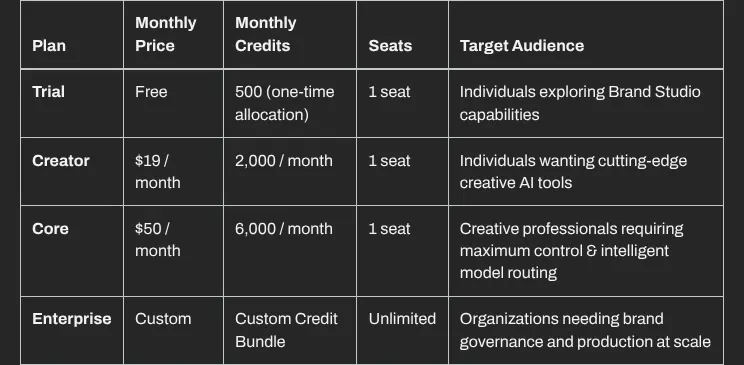
Test your own prompt before you subscribe, because free offers differ sharply. Krea renews 100 units every day, while Runway gives 125 credits once and Brand Studio 500 credits once. Higgsfield has no monthly free credits. Run the same three prompts through two shortlisted tools and keep the one whose results you would actually publish.