The score only shortlists: all ten tools build a site that looks professional. Six checks narrow the list to one or two. Each rests on facts read on vendor pages on 13 November 2026.
1. Decide whether the site must sell
Start with what the site has to do, because selling changes the plan and the bill. A site that only presents the business can stay on the entry plan of most tools. On several tools, a site that takes payments needs a higher plan than the entry one.
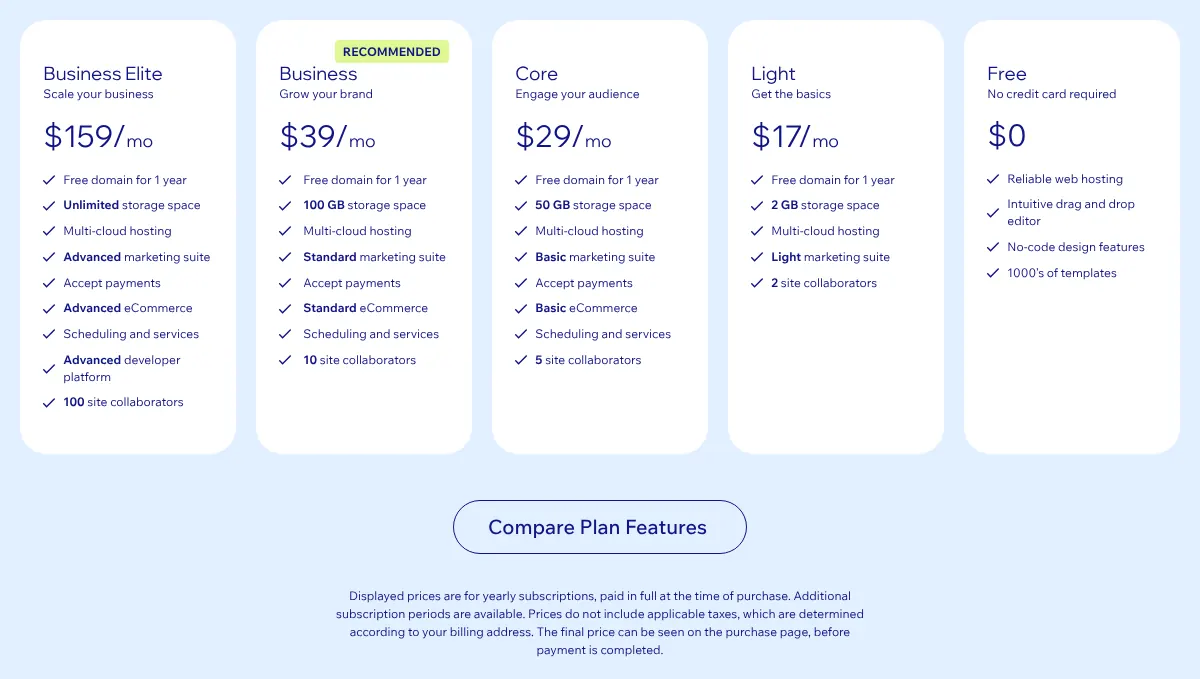
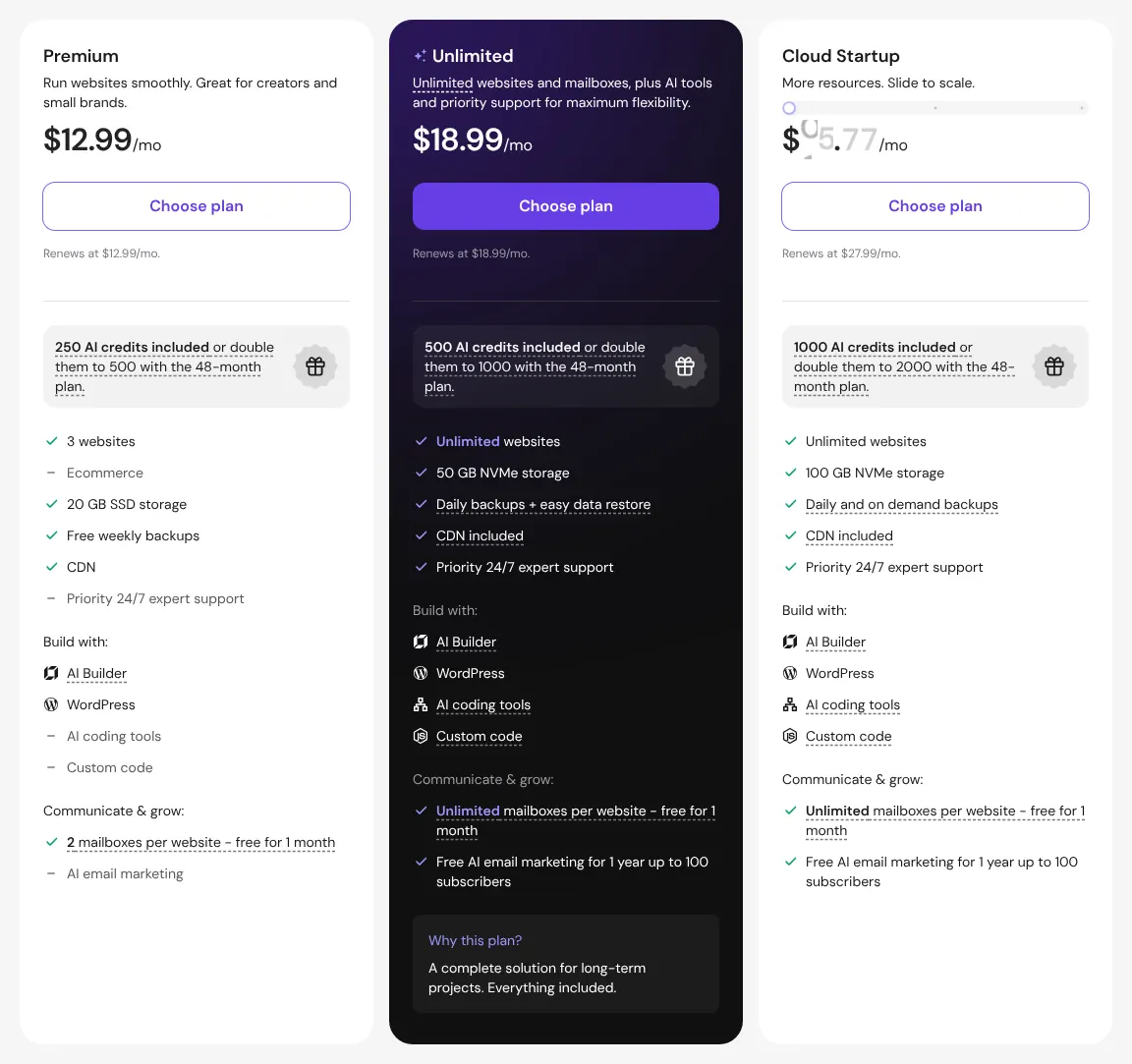
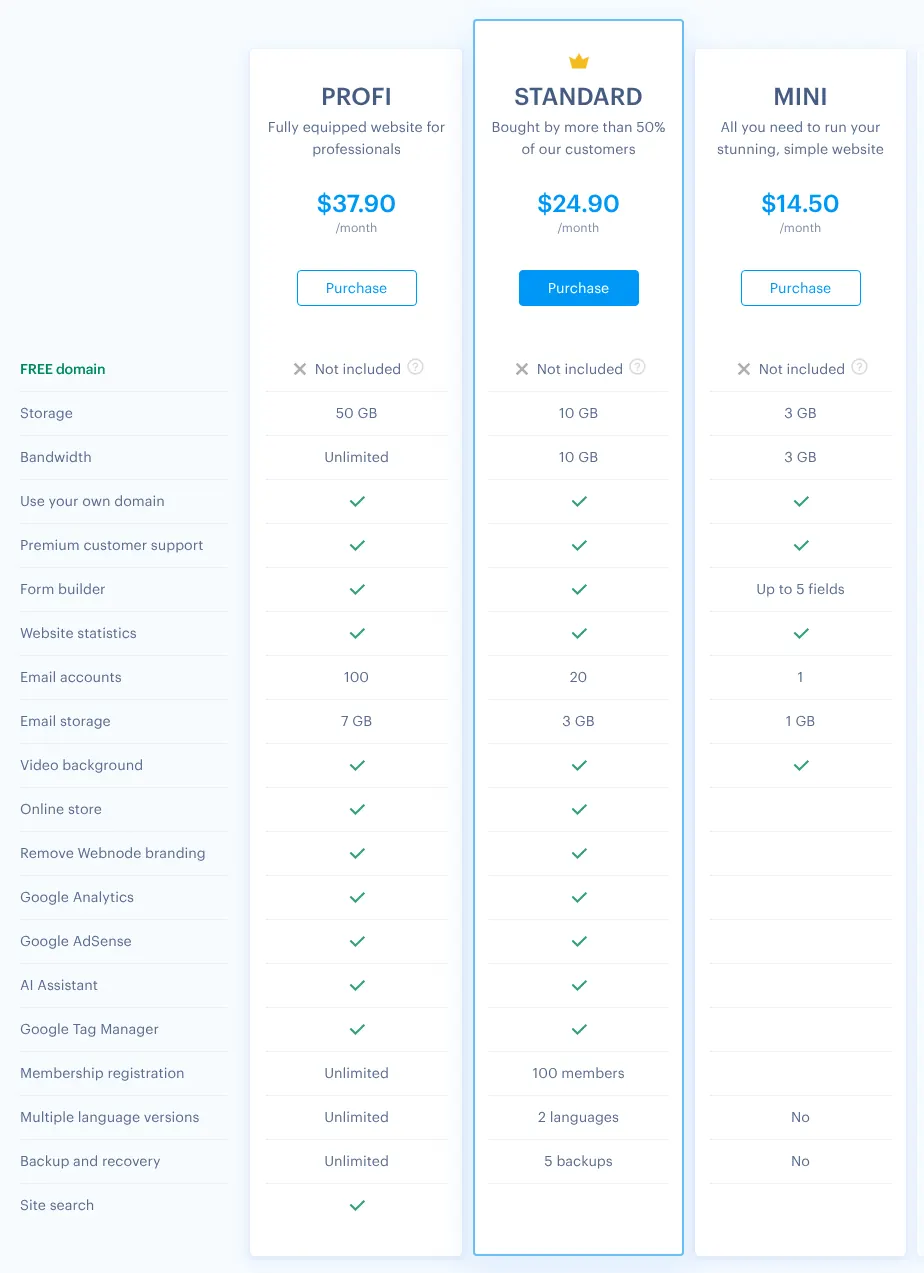
On Wix, payments start on Core, at $29 a month billed yearly instead of $17. On Hostinger, the store needs Unlimited. On Webnode, it needs Standard. Duda adds a store plan on top of the account. Shopify, Squarespace and Strikingly sell from their first paid plan. If you sell, compare the store prices in the cost table below, not the entry prices.
2. Count the fee taken on each sale
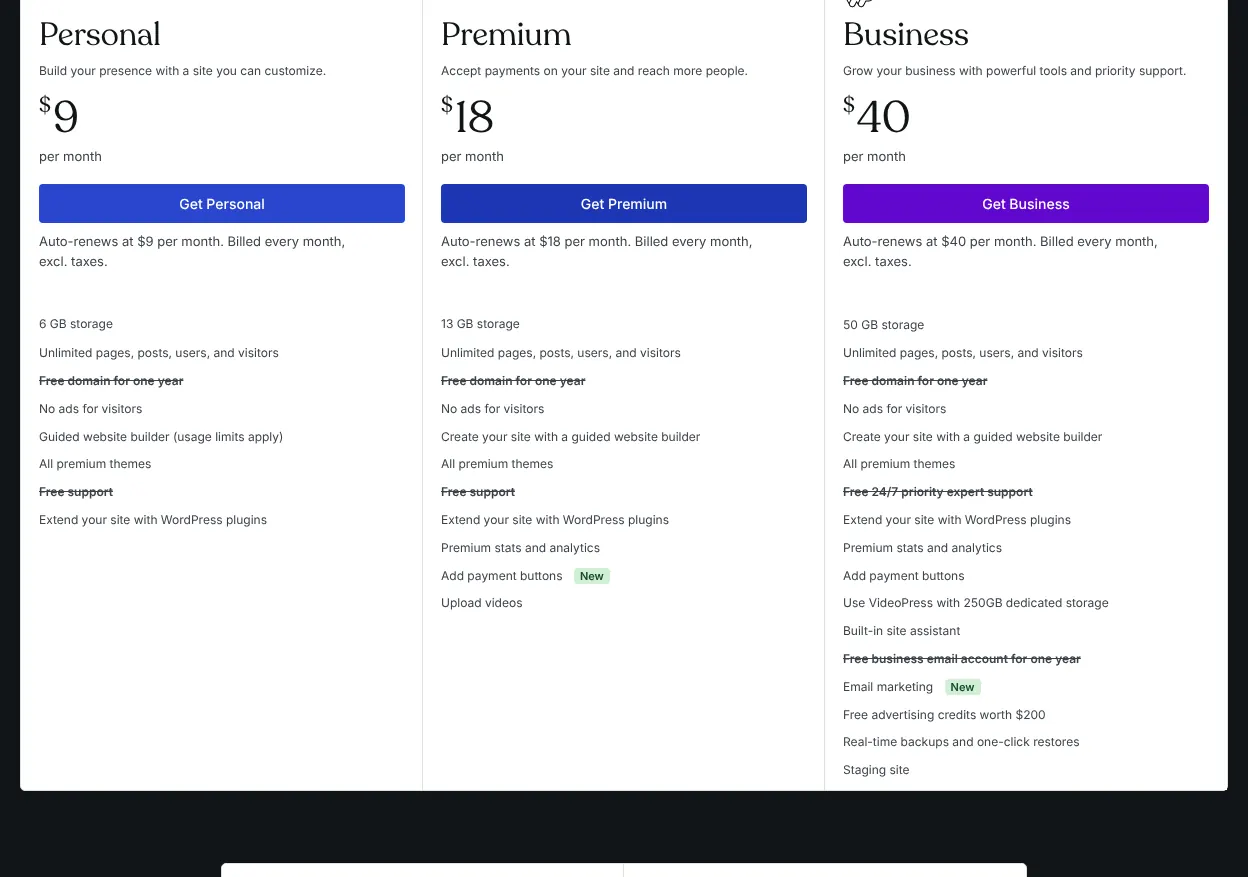
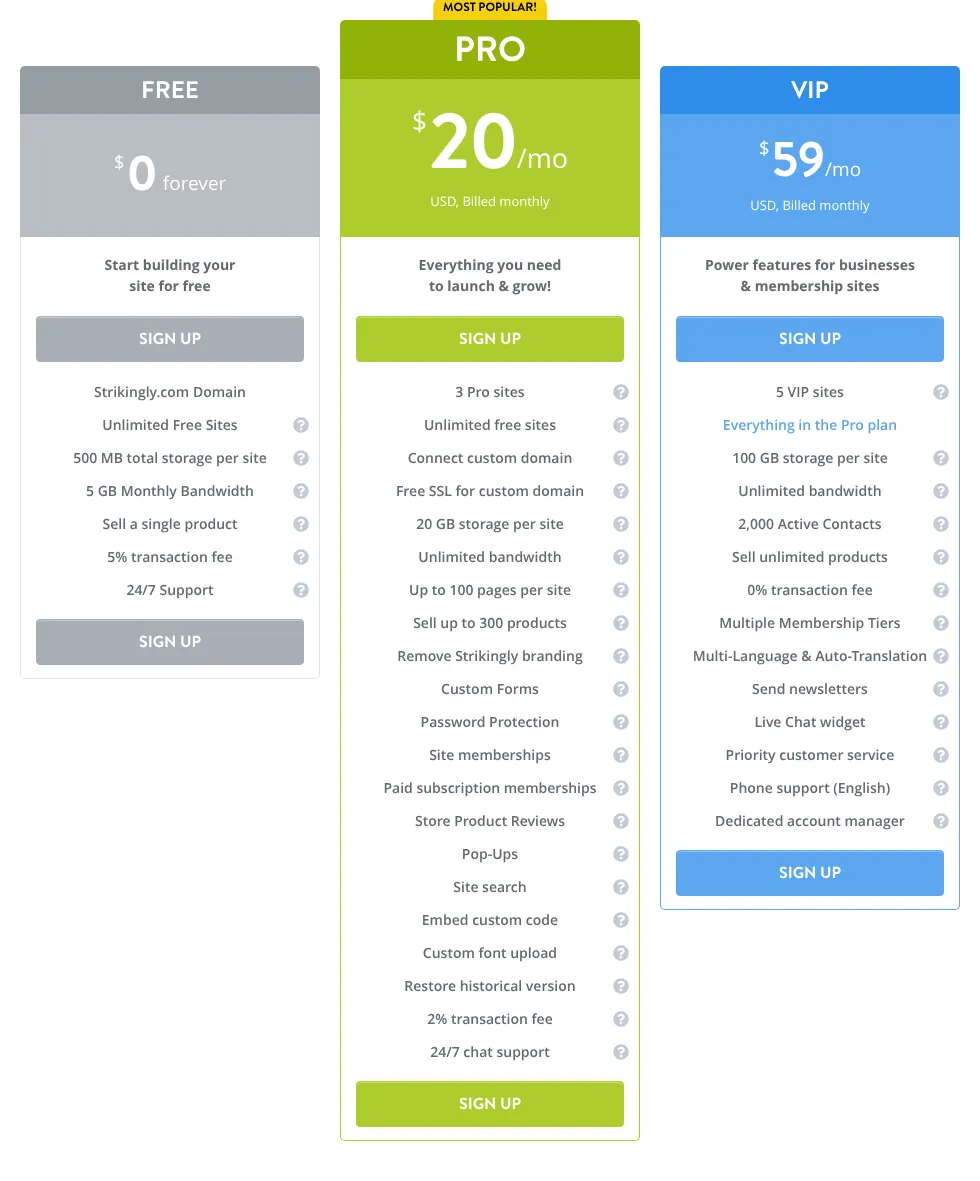
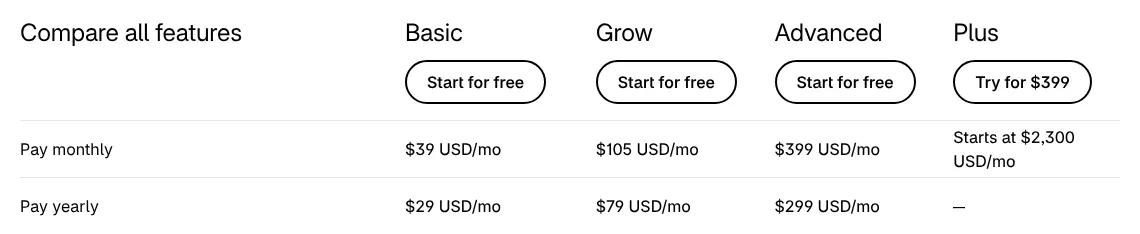
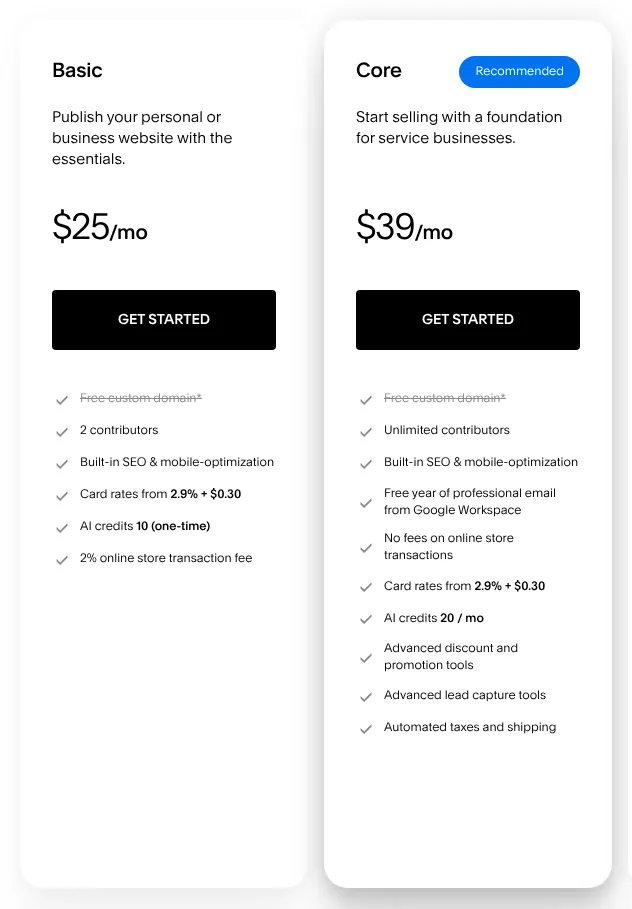
A transaction fee is a share of each sale that the site builder keeps, on top of the card fee charged by the payment service. Several tools take one on their cheaper plans. Strikingly keeps 2% on Pro and Squarespace 2% on Basic. Shopify adds 2% on Basic when the shop uses another payment provider than Shopify Payments. WordPress.com keeps 4% of the payments taken through its payment buttons on Premium.
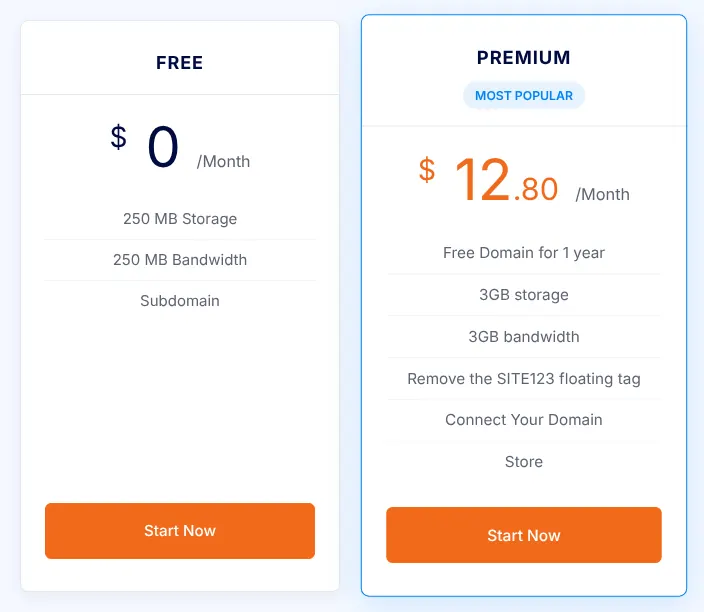
The fee adds up quickly. A shop that sells $2,000 a month pays $40 a month in fees at 2%. At that volume, a higher plan without a fee can cost less overall. Hostinger, IONOS, Duda, SITE123 and Webnode say they take no fee on sales.
3. Check what yearly billing commits you to
Most of these tools show their yearly price first, because it is lower. Yearly billing means paying for twelve months in one go. Wix and IONOS show no monthly price at all on the pages read. SITE123 sells nothing shorter than three months.
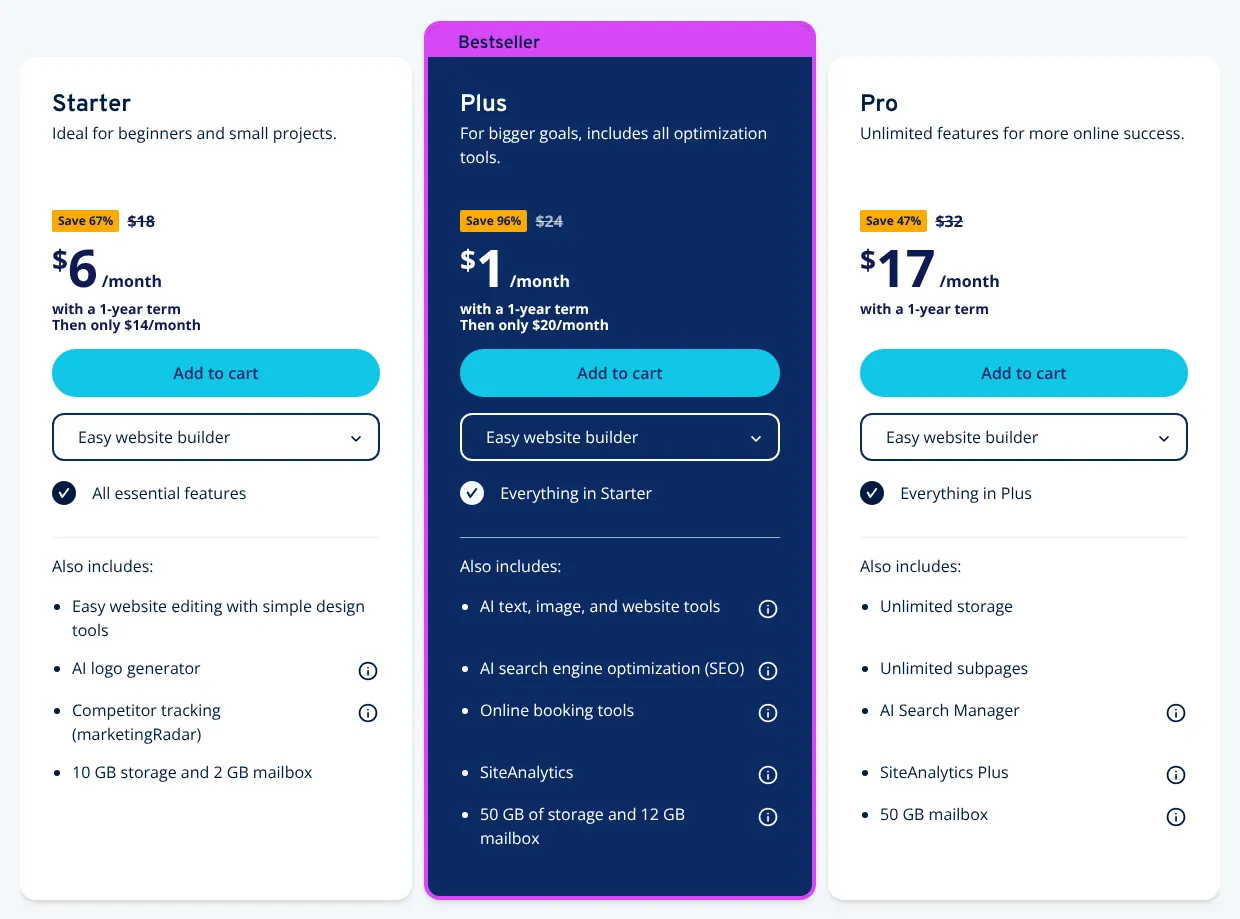
Look at the renewal price too, the price after the first term. IONOS Starter costs $6 a month in its first year and $14 after it. Hostinger Premium costs $1.99 a month on a 48-month offer, then renews at $10.99. Pay monthly while you test a tool, then switch to yearly once you are sure.
4. Plan for the domain and the email address
A custom domain is the business's own web address, such as yourbakery.com, instead of an address on the builder's site. Most of these tools give one free for the first year, but only on yearly billing. WordPress.com, Squarespace, Webnode and Wix leave it out of monthly plans. From the second year, the domain is paid; a .com renews at $13.35 a year on Wix.
A mailbox at that domain, such as hello@yourbakery.com, is a separate question. Hostinger, IONOS, Webnode and SITE123 include mailboxes in some plans. Wix, Squarespace and WordPress.com resell a partner's mailbox, and Shopify only forwards messages to another inbox.
5. Check bookings and newsletters if you sell a service
A salon, a coach or a repair shop needs visitors to book a time slot. Wix, Hostinger, Duda, SITE123, Strikingly and IONOS build bookings in; IONOS starts them on Plus. Squarespace, WordPress.com, Shopify and Webnode rely on a separate service or app, which often has its own price.
Newsletters follow the same pattern. Wix, Shopify, Duda, SITE123 and WordPress.com send email campaigns themselves, and Strikingly does on VIP. Squarespace sells them as an add-on, an extra paid on top of the plan. A business with 500 customers to email each month should count that extra before choosing.
6. Read the limits of the free plan
Five of the ten show a free plan on their pricing pages, and each is made for testing rather than for running a business site. Wix shows its ads, uses a wixsite.com address and cannot take payments. WordPress.com shows ads and allows 1 GB of storage. Strikingly sells a single product, with a 5% fee.
SITE123 runs a store for free but with 250 MB of storage. Webnode's free plan has no ads, but its forms cannot be published. Use a free plan to test the editor, then move to a paid plan before you announce the site.