Every tool here prepares S corporation and partnership returns and e-files them (sends them to the IRS electronically), so the score only builds a shortlist. Five checks narrow it to one tool. Each rests on vendor pages read on 19 November 2026.
1. Decide who files: the owner or a tax preparer
The first choice is not a brand but a type of software. TaxAct Business and TurboTax Business are built for one owner and one company. They ask plain questions and charge per return. The other eight are professional software for people who file returns for clients. They expect a trained user and charge a yearly licence.
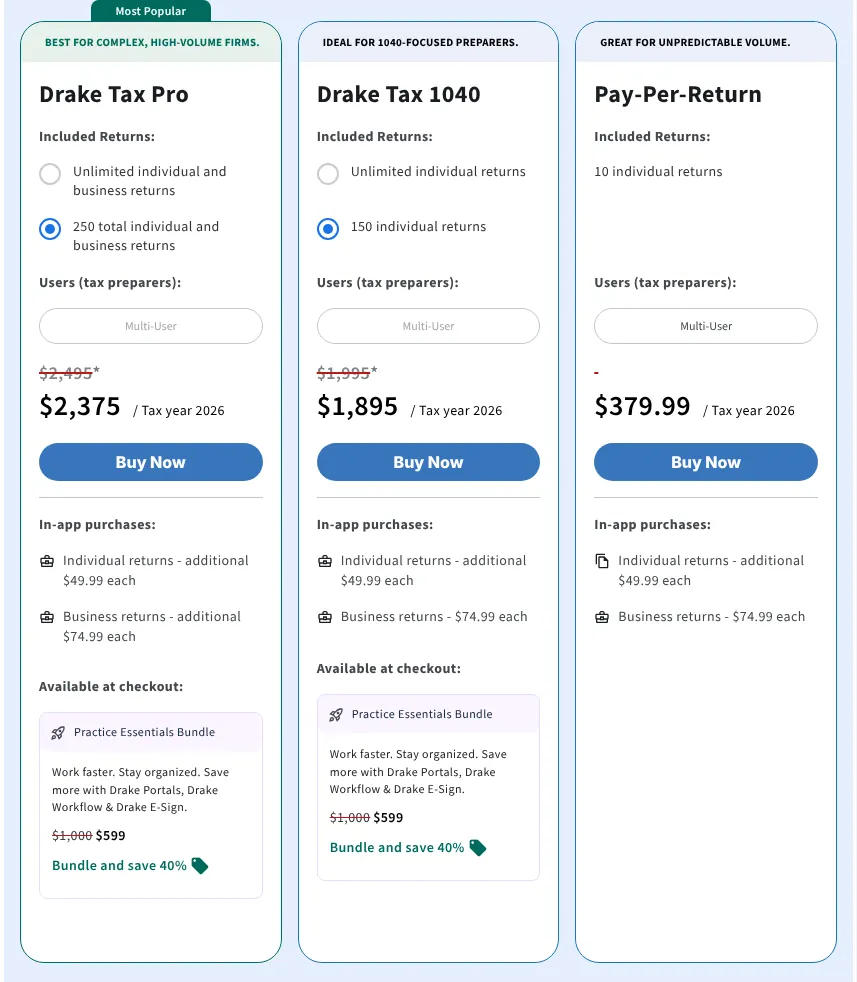
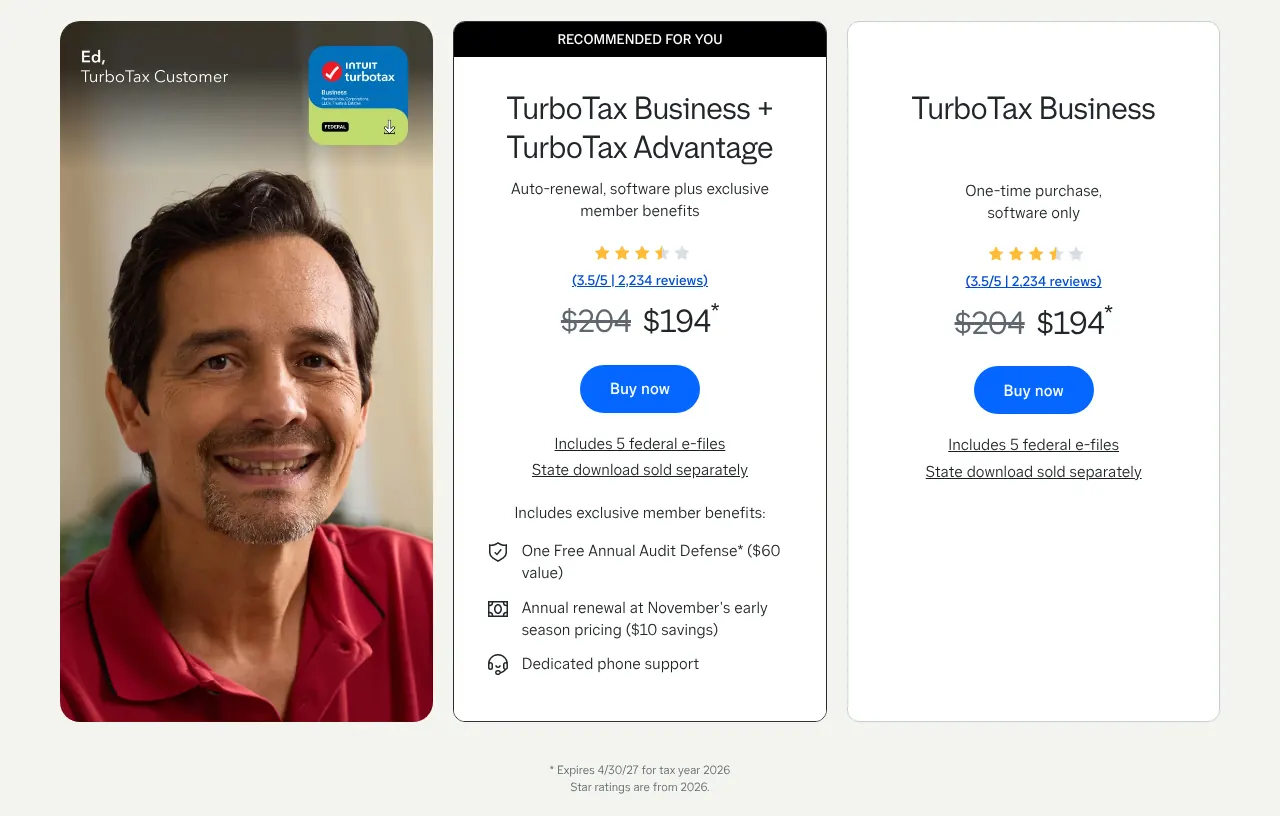
A one-owner company that files one return should not buy a professional licence. TurboTax Business costs $194 for a corporation return. ProSeries costs $539 a year before the first return is even paid for. If you file for clients, the do-it-yourself tools do not fit: TaxAct's guarantee excludes returns prepared for others.
2. Check that your form is covered
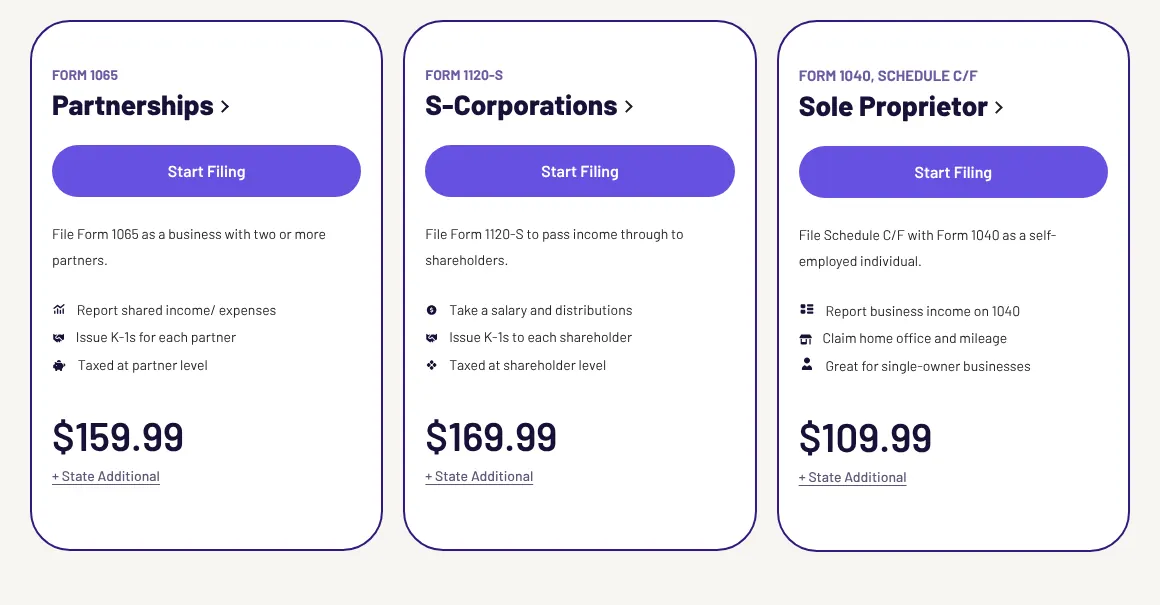
Each type of business files its own form. A sole proprietor files Schedule C with the personal return. A partnership files Form 1065. An S corporation files Form 1120-S, and a C corporation Form 1120. A trust files Form 1041, and a nonprofit Form 990.
Most tools cover all of them, with two gaps worth knowing. TurboTax Business has no Form 990. The online TurboTax products do not take C corporations or trusts, so a C corporation needs the desktop download. Before you pay, find your form number in the product's list.
3. Add the states before you compare
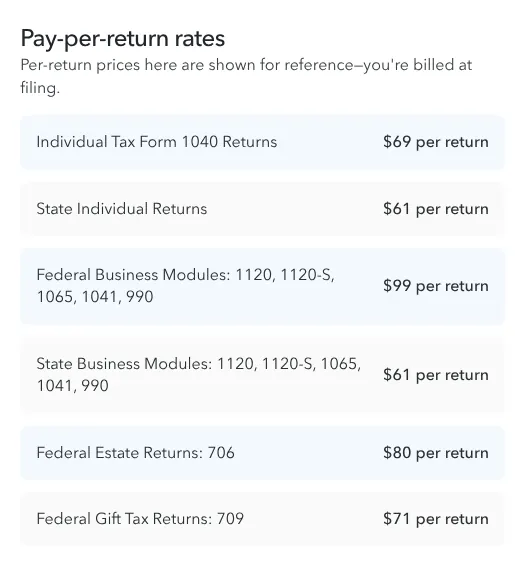
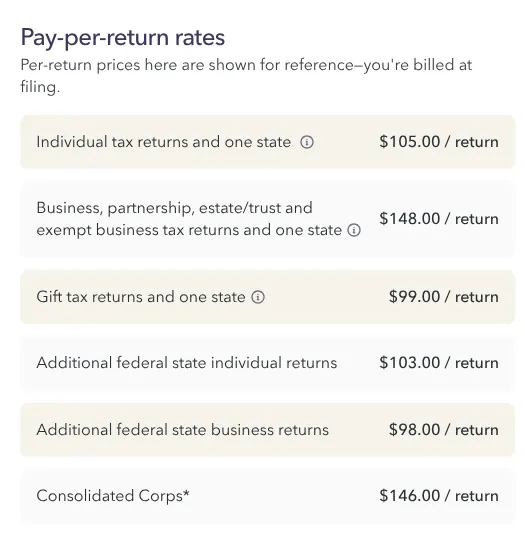
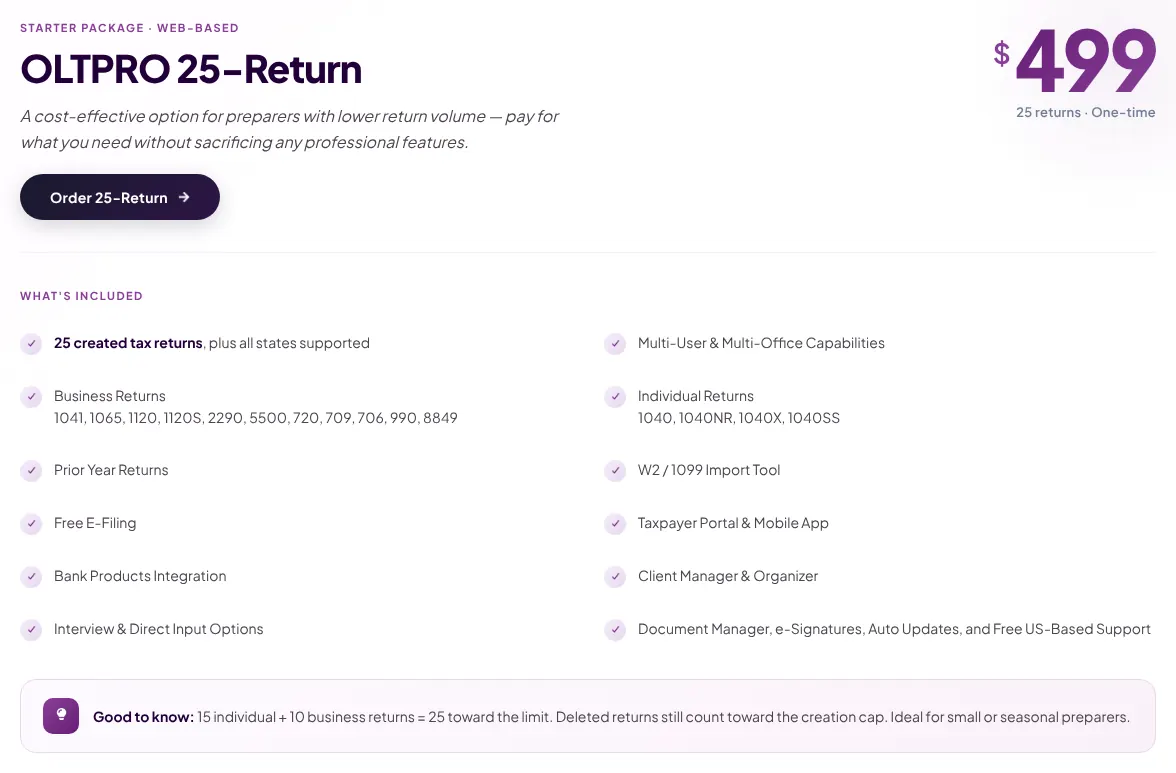
A business usually files a state return as well, and the price of states varies the most. Drake Tax, ProConnect Tax and OLTPRO include every state. Lacerte includes one state with each business return. TaxAct charges $69.99 per state on a company return, TurboTax $55 and ProSeries $61.
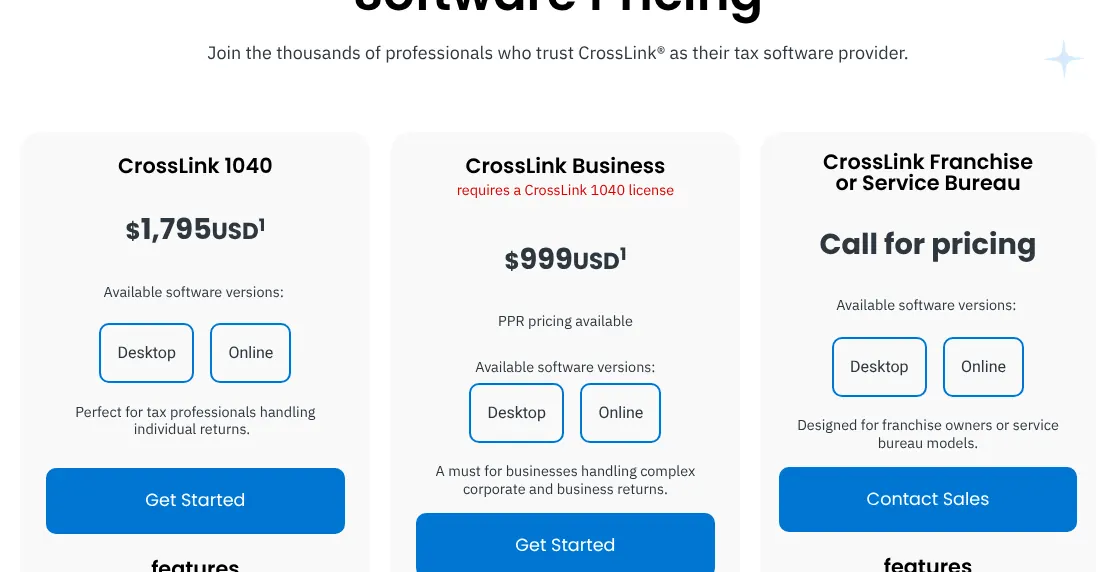
Take one S corporation that files in one state. TaxAct costs $239.98 and TurboTax $249. A preparer on ProSeries pays $160 for that return, after the $539 licence. Ask which states are included before you count on a price, because CrossLink covers a list of select states only.
4. Count your returns for the season
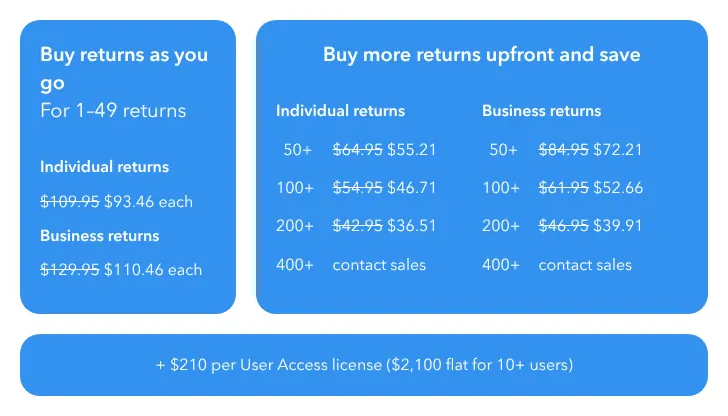
Professional prices depend on volume, so count last year's returns first. Pay-per-return licences are cheap to open and expensive per return. Fixed packages cost more upfront and nothing per return.
For 10 business returns with one state each, Drake Tax Pay-Per-Return, the Windows version, costs $1,129.89 and ProConnect Tax $1,509.50. For 50 returns, Drake Tax Pro at $2,495 beats paying per return, and CrossLink costs $2,794 whatever the volume. If your count is uncertain, start on pay-per-return and move to a package the next season.
5. Plan how last year's data comes in
Retyping last year's figures costs more time than the software costs money. Seven of the eight professional tools document carrying a client's data forward from the previous year. CrossLink documents it for individual returns only. Changing software is a different job: the old files must be converted.
Drake Tax converts files from Lacerte, ProSeries, UltraTax, ATX, TaxAct and TaxWise for free. Lacerte converts for free in 1 to 3 business days. CrossLink converts Drake, ProSeries, TaxSlayer and TaxWise business files. If you leave a program, ask for the conversion before the season starts, and check a few converted returns by hand.