Email marketing software sends newsletters and promotional emails to a list of people who signed up, then shows who opened and clicked. All ten tools here include a drag-and-drop editor, signup forms and segments (groups of contacts picked by a rule, such as "bought in the last 30 days"). They also run workflows (automatic emails sent after a trigger, such as a signup). Six checks narrow the list, each based on vendor pages read on 17 November 2026.
1. Check what the price is counted on
Most tools charge by the number of contacts on the list, but they do not count the same people. Mailchimp counts subscribed, unsubscribed and non-subscribed contacts (people added to the list who never agreed to receive marketing). MailerLite counts only active subscribers, and Omnisend does not bill unsubscribed contacts.
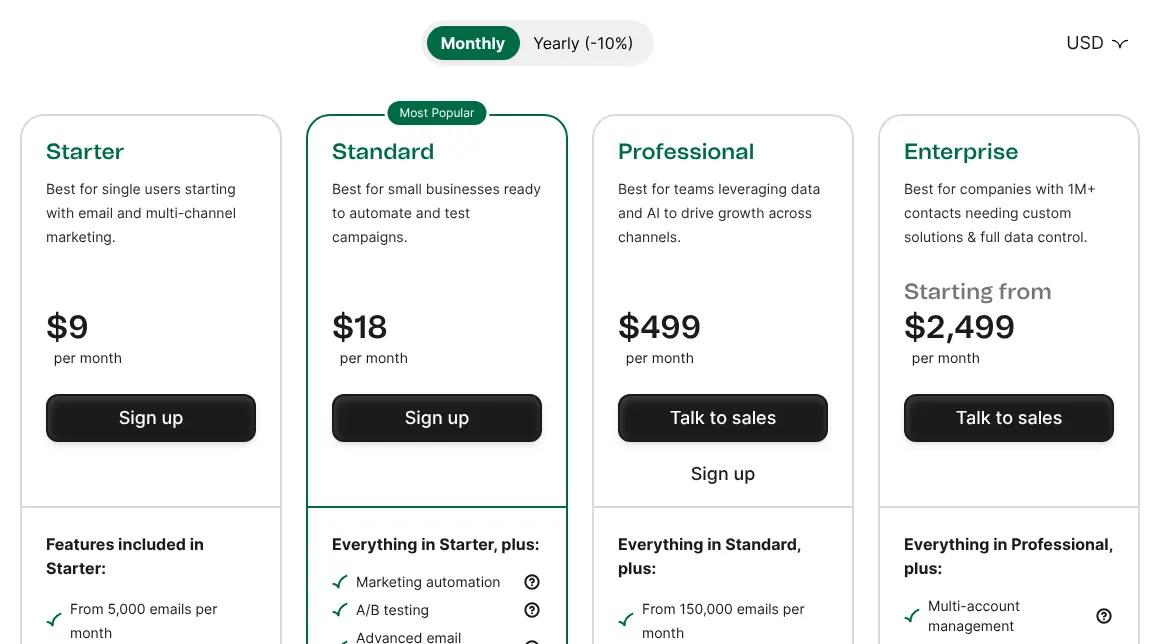
Brevo charges by emails sent per month instead. Its Starter plan costs $9 for 5,000 emails, with room for 500 contacts. If your list holds many old unsubscribed addresses, a tool that counts only active contacts costs less for the same mailing.
2. Look at the monthly email allowance
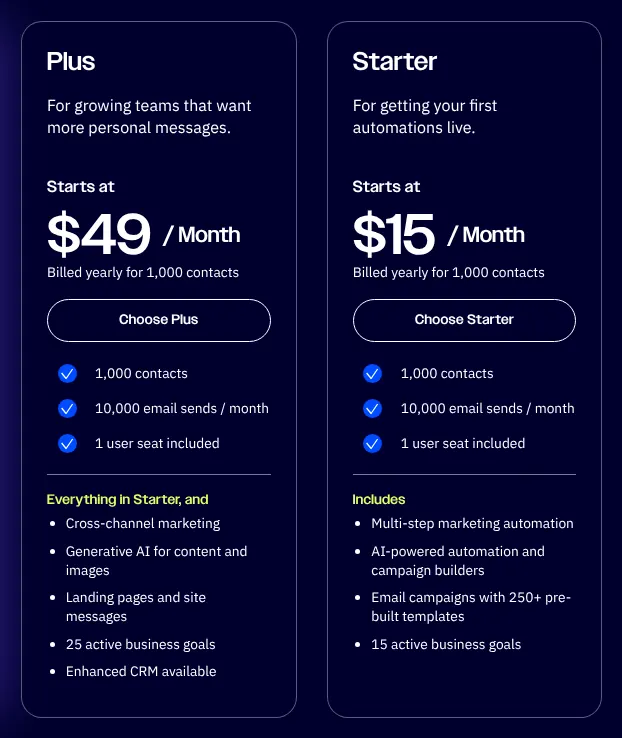
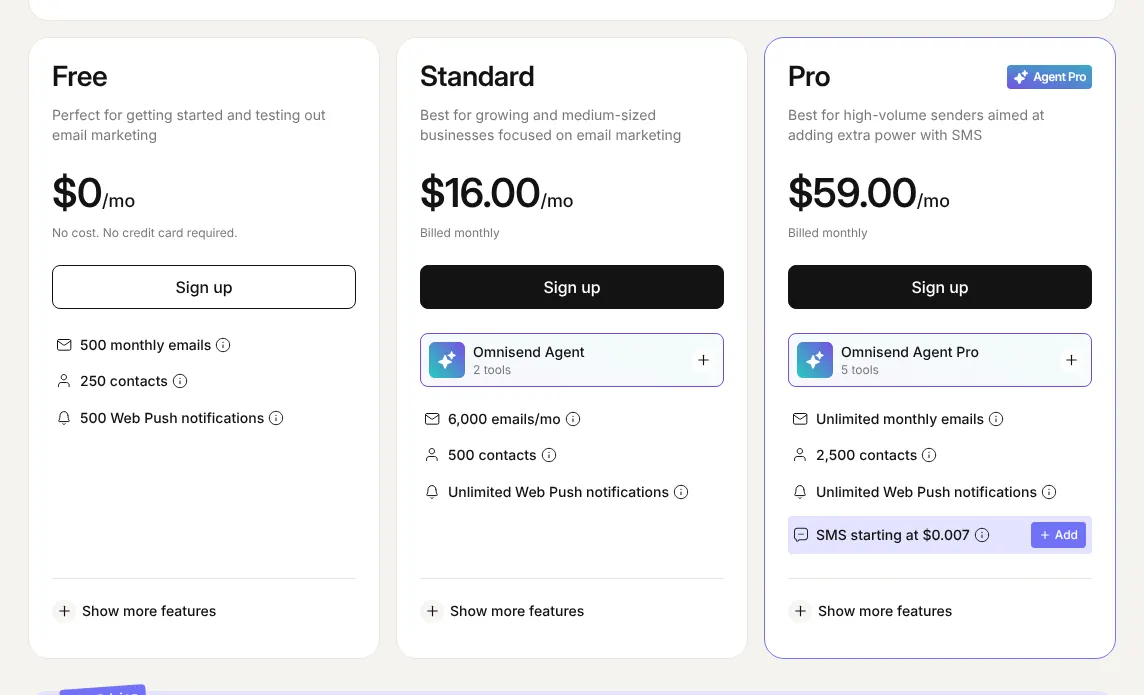
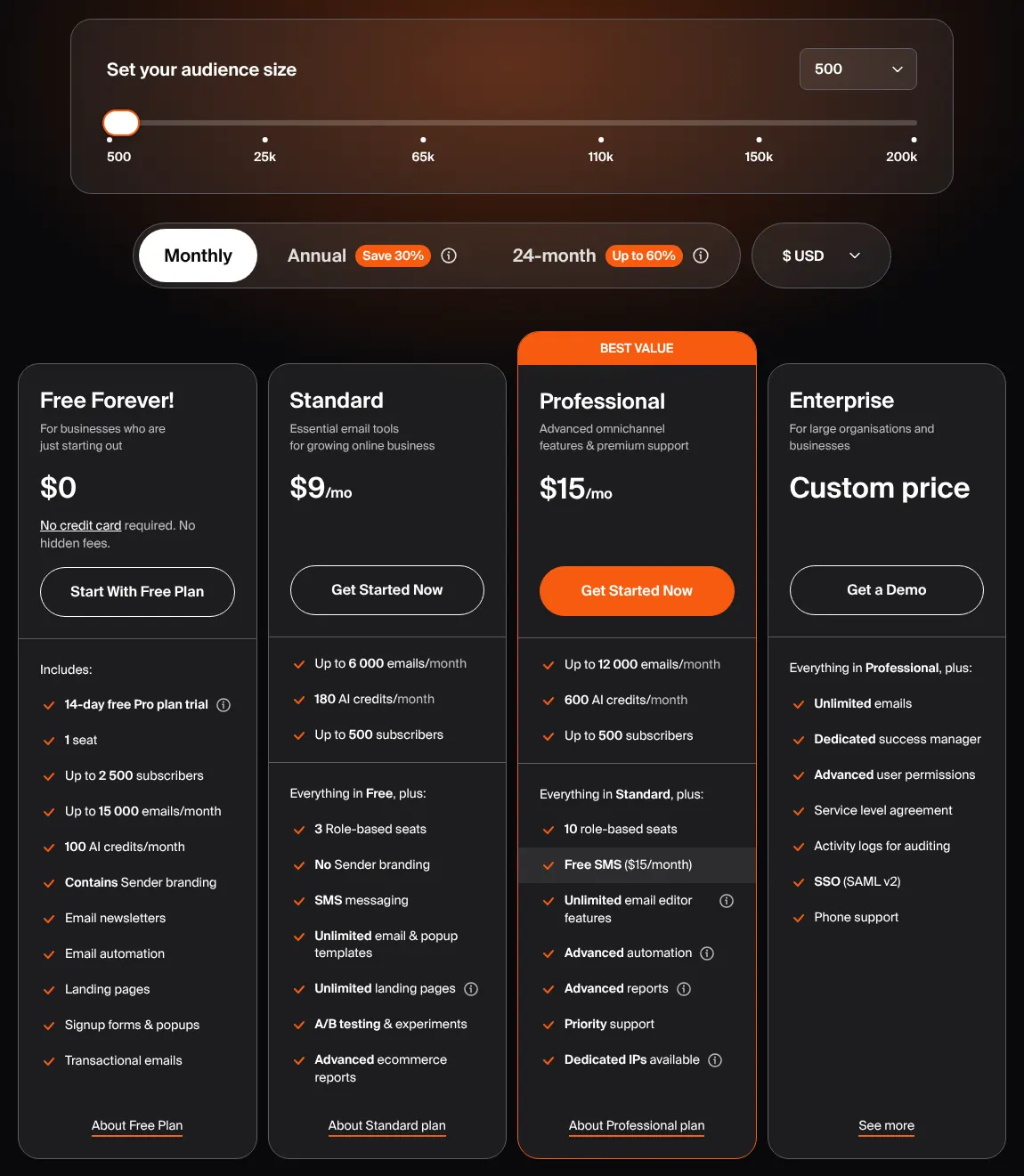
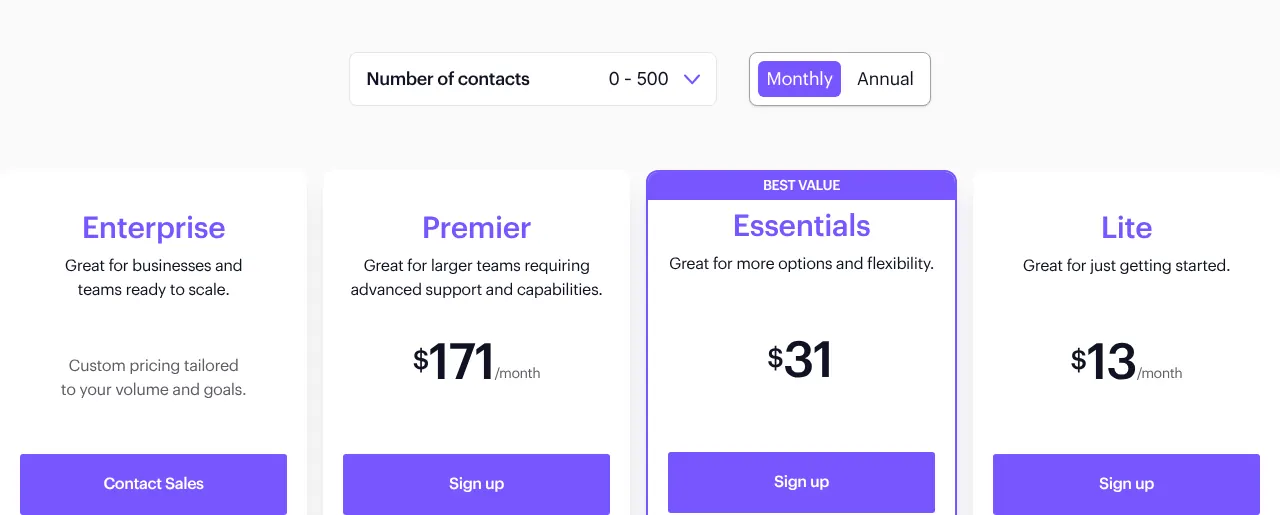
A low price often comes with a cap on emails sent each month. Mailchimp Essentials allows ten times the contact limit, so 5,000 emails for 500 contacts. Omnisend Standard allows twelve times the list size, and Campaign Monitor Lite five times.
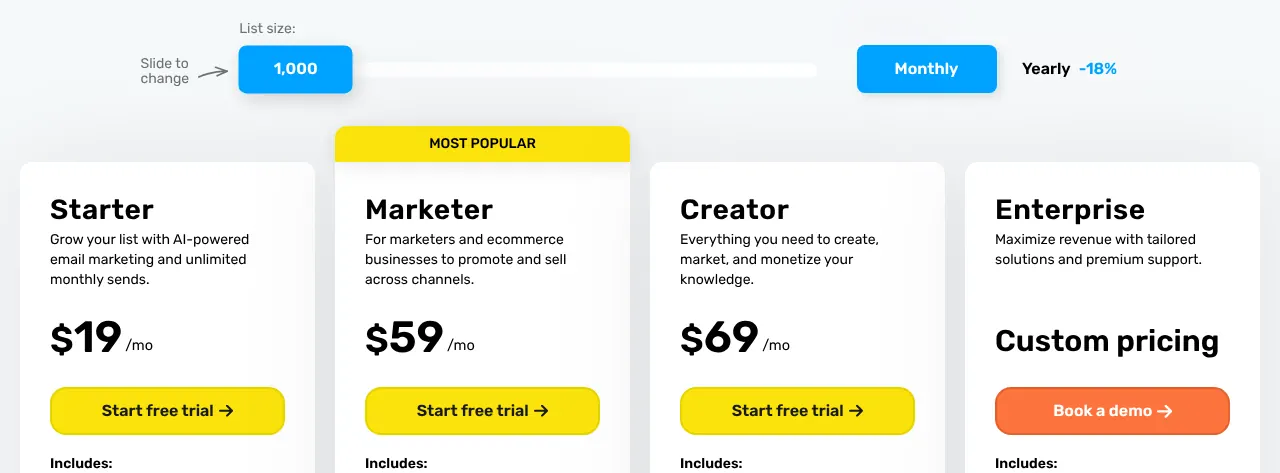
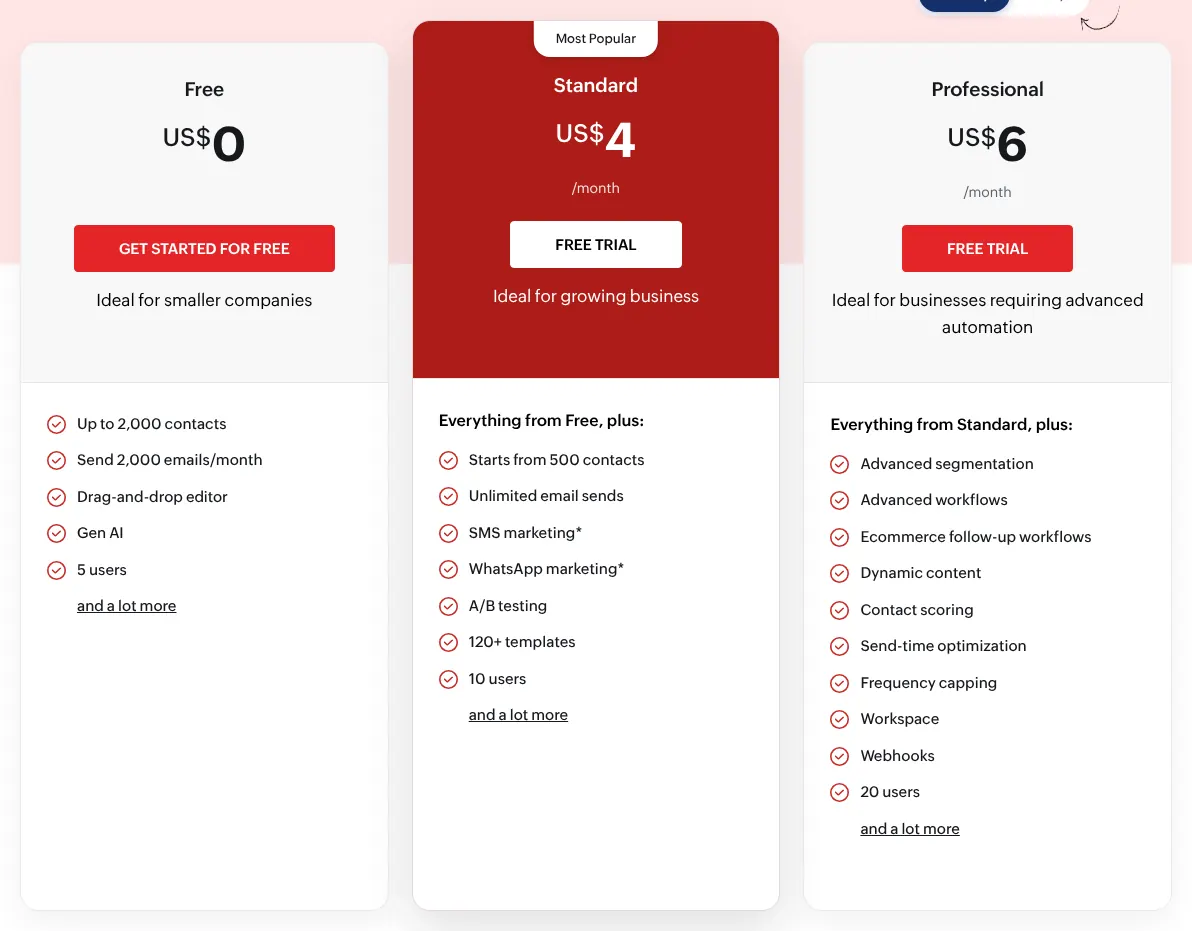
GetResponse and Zoho Campaigns set no monthly cap on their entry plans. A shop that emails 500 customers twice a week sends about 4,300 emails a month. That fits GetResponse, Zoho Campaigns and Mailchimp Essentials, but not Campaign Monitor Lite.
3. Make sure automation is on the plan you buy
The cheapest plan often limits the automatic emails that make these tools worth paying for. Brevo Starter leaves out marketing automation and A/B testing (sending two versions of an email to see which works better). Both start on Standard, at $18 a month.
Mailchimp Essentials limits each automation to four steps. GetResponse Starter includes one automation workflow, and ActiveCampaign Starter limits each automation to five actions. Zoho Campaigns keeps abandoned cart emails for its Professional plan.
4. Compare free plans by emails, not only by contacts
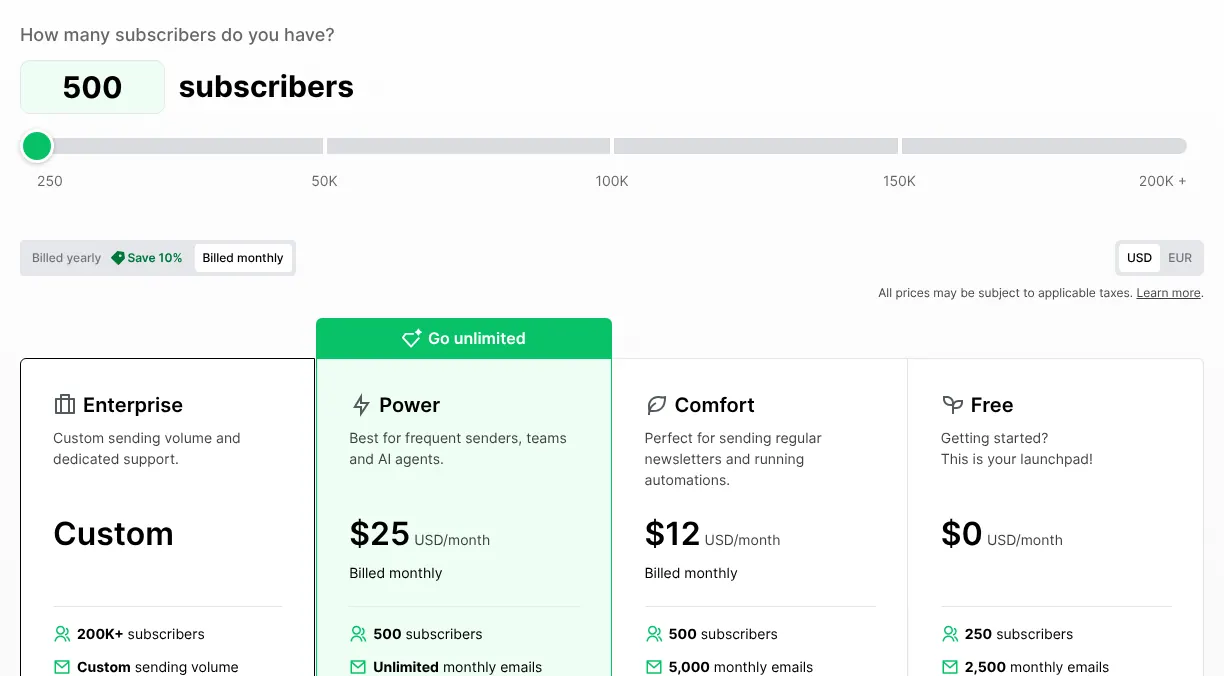
Eight of the ten have a free plan, and their limits differ widely. Sender allows 2,500 subscribers and 15,000 emails a month. Zoho Campaigns allows 2,000 contacts and 2,000 emails. Brevo stores many contacts but sends only 300 emails a day.
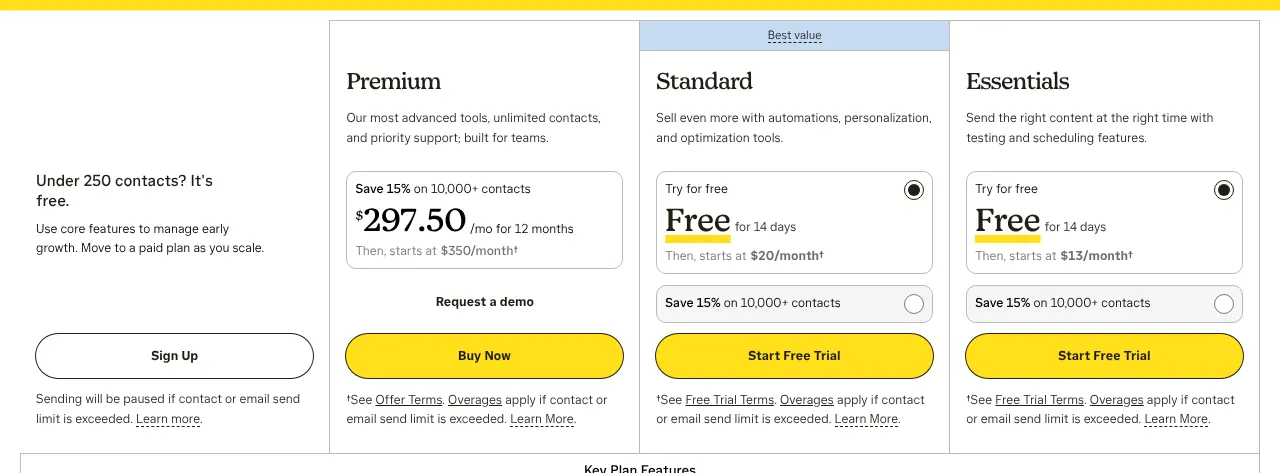
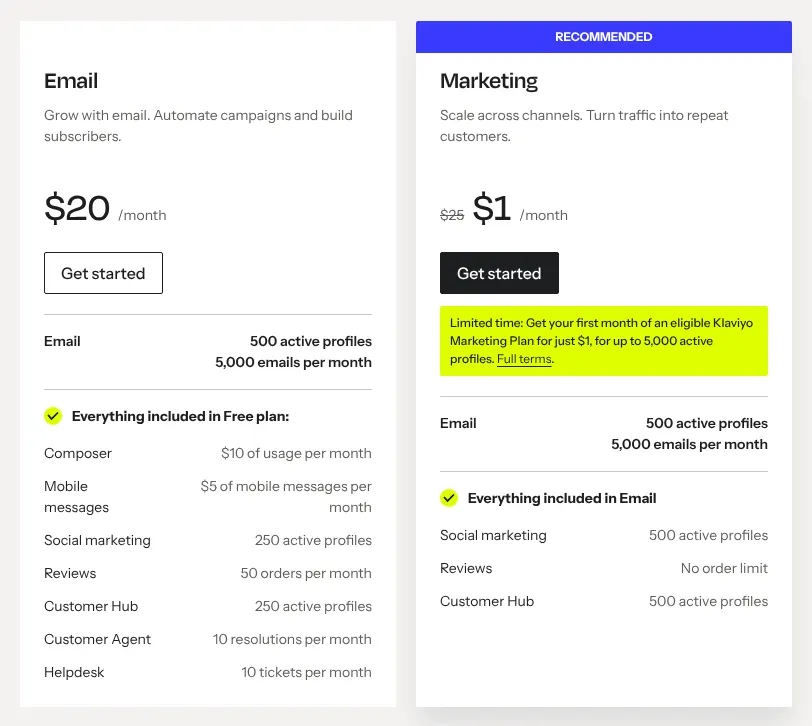
Mailchimp, Klaviyo and Omnisend stop at 250 contacts and 500 emails a month. ActiveCampaign and Campaign Monitor have no free plan, only a trial. Most free plans also add the vendor's logo to every email.
5. Count the people who will log in
A seat is one person's login to the account. Brevo Starter and ActiveCampaign Starter include one user. Mailchimp Essentials, MailerLite Comfort, GetResponse Starter and Sender Standard include three.
Zoho Campaigns Standard includes ten users, and Omnisend and Campaign Monitor set no seat limit. A team of four that shares one login loses track of who changed what, so count seats before comparing prices.
6. Plan the move before you switch
Every tool here documents a way to bring in an existing contact list. Mailchimp's import tool takes a CSV file (a spreadsheet saved as plain text). Klaviyo imports directly from Mailchimp and Campaign Monitor, and Omnisend's team migrates contacts and segments for free.
Brevo's Mailchimp import brings over only contacts who gave consent in the last two years. Before sending, authenticate your sending domain: the tool gives DNS records (settings added where the domain name is managed) that prove the emails really come from you.