The score shortlists, but the right tool depends on what the clips are for and how many are needed. Six checks narrow the list to one or two. Each rests on facts read on vendor pages on 14 November 2026.
1. Count seconds of video, not credits
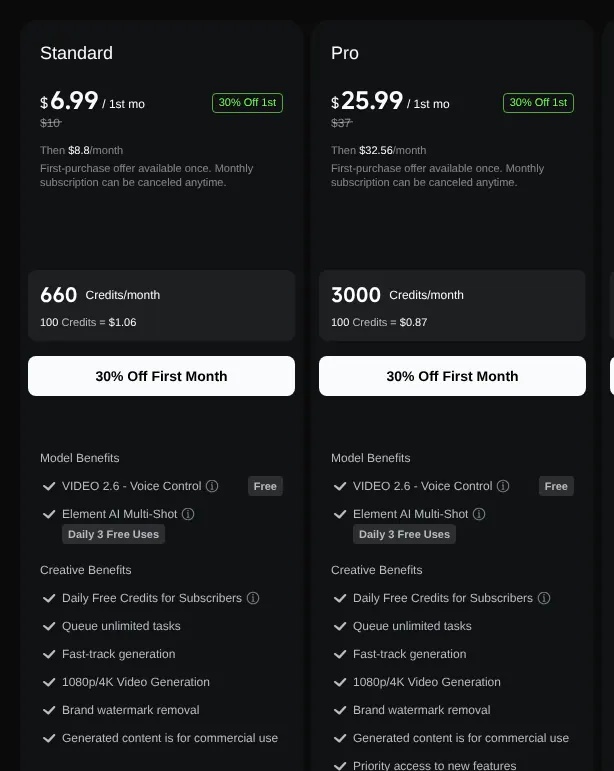
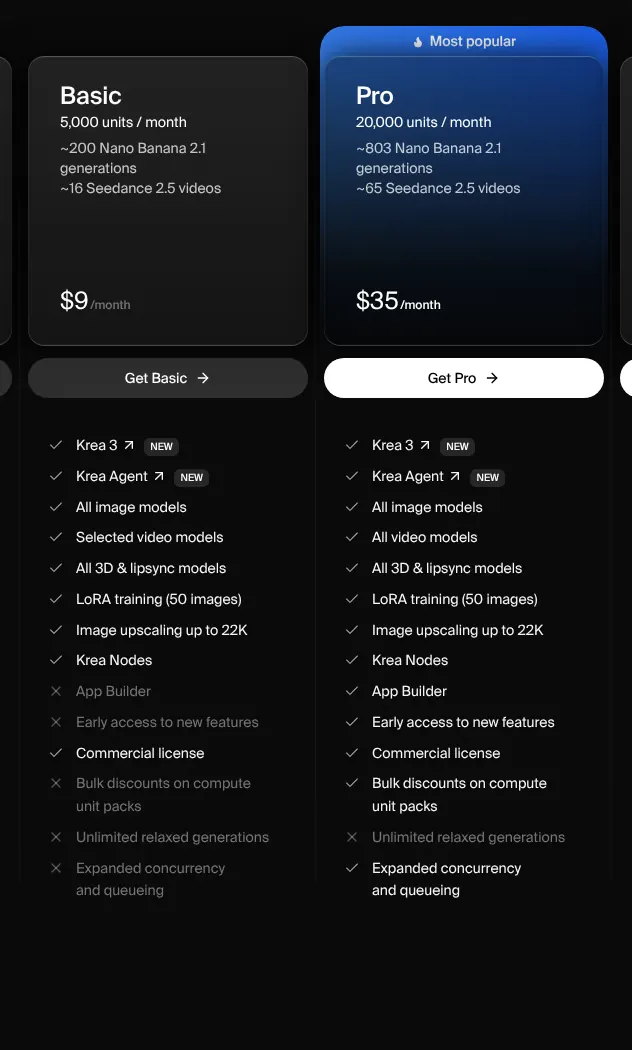
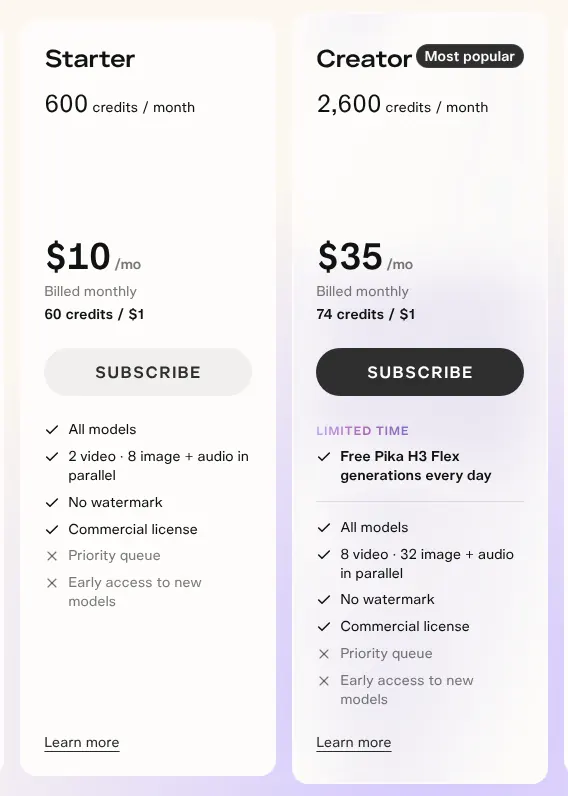
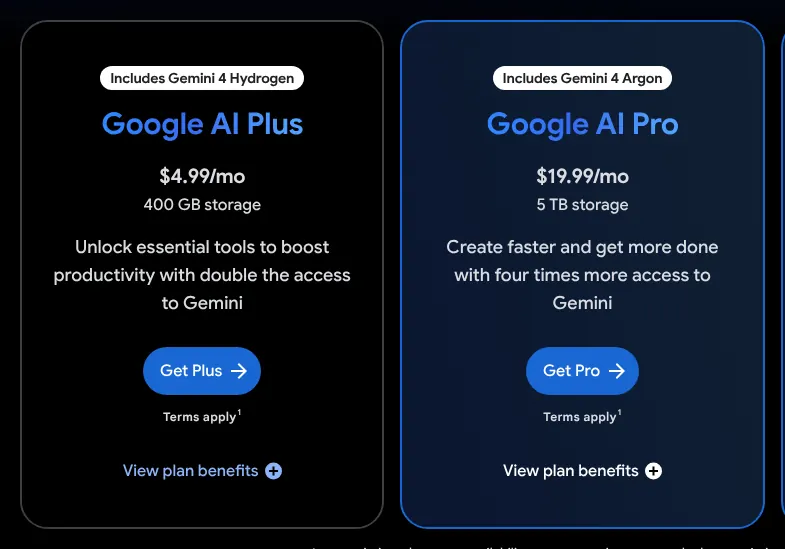
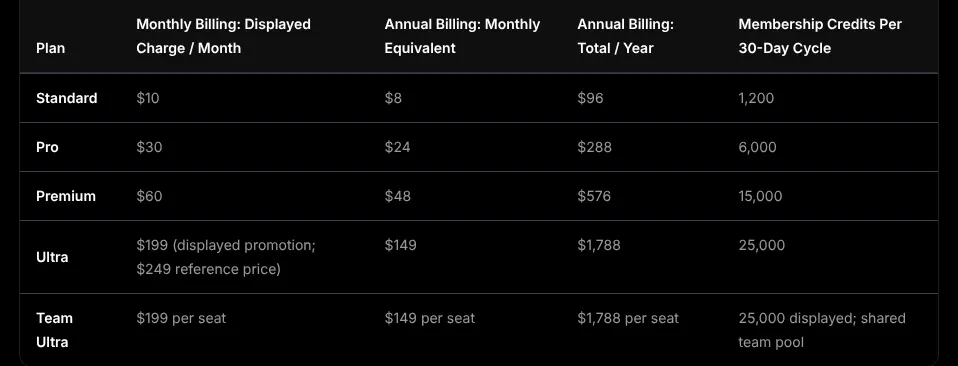
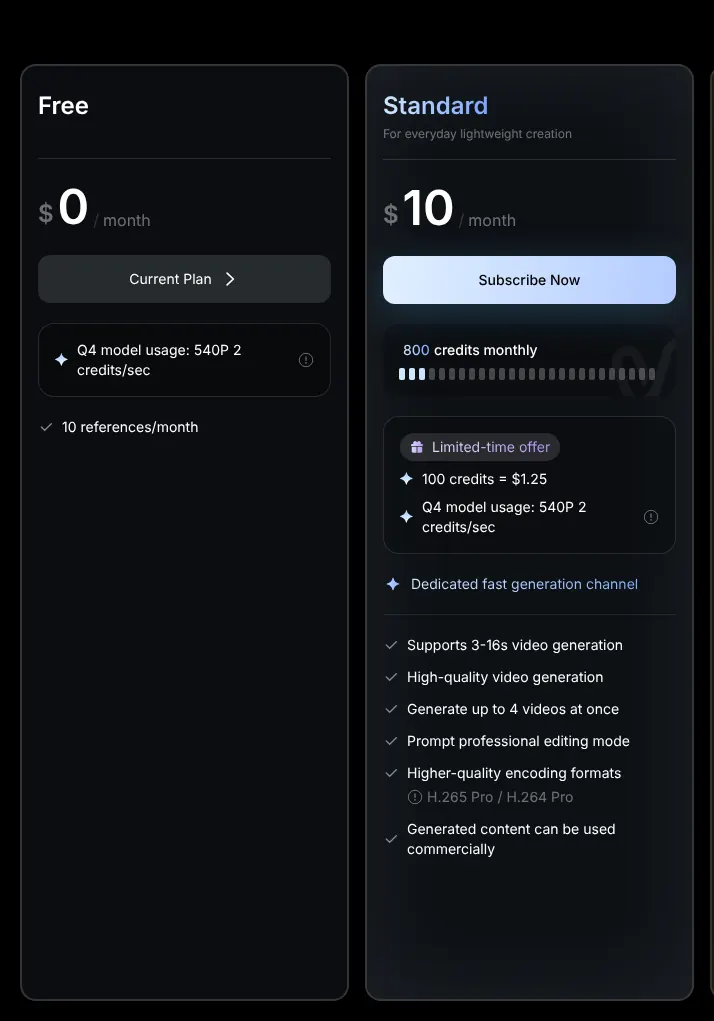
Turn the credit allowance into seconds before you compare prices, because every tool sells credits and each model spends them differently. Runway Standard gives 625 credits, which Runway counts as 52 seconds of its Gen-4.5 model. Google Flow gives about 66 seconds of 720p video on its $4.99 plan. Vidu counts its 800 Standard credits as up to 200 videos. If you need ten 10-second clips a month, that is 100 seconds, more than Runway Standard or Google AI Plus cover.
2. Check the commercial rights on the exact plan
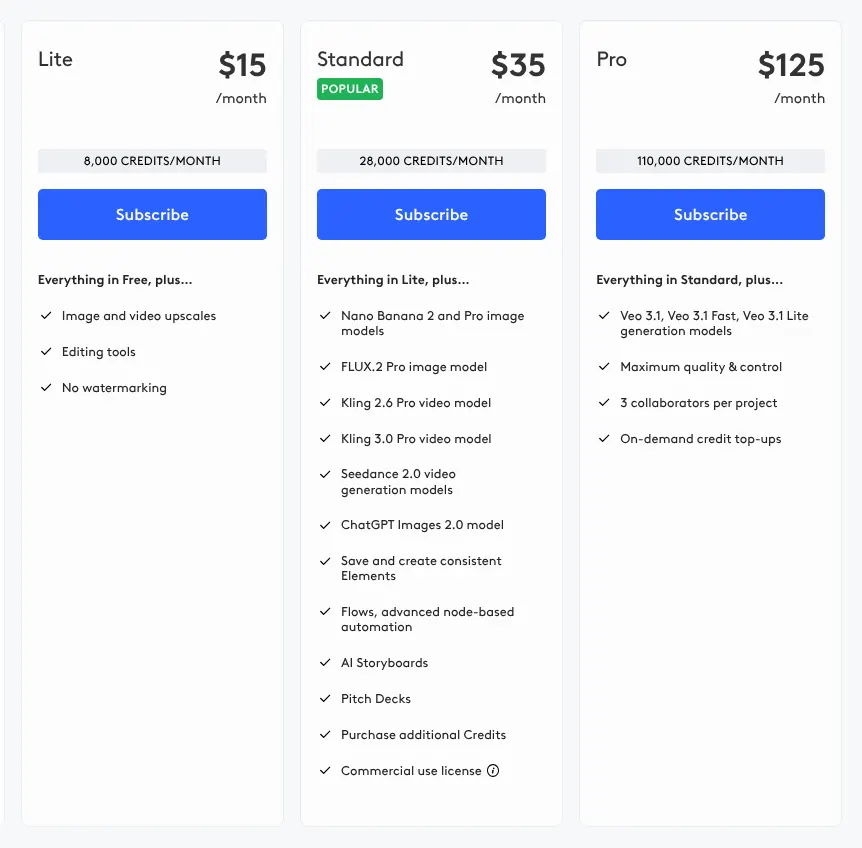
Read the licence line of the plan you will buy before you deliver work to a client. LTX Studio Lite at $15 is for personal use only, so commercial work starts at $35. Krea, Vidu and Kling AI free plans exclude commercial use. PixVerse allows it only for content made with its own models. A freelancer who sells ads should budget for the plan that grants these rights.
3. Look at the resolution of the entry plan
Check the resolution your cheapest plan exports, because several entry plans stop below full HD (1080p, the usual size for YouTube and ads). PixVerse Standard is capped at 720p, and 1080p starts at $30 a month. Google Flow generates at 720p and reaches 1080p only through an upscale step, which enlarges a finished clip. If your clips go on a large screen, choose a plan that states 1080p, such as Kling AI Standard.
4. Decide whether you need sound
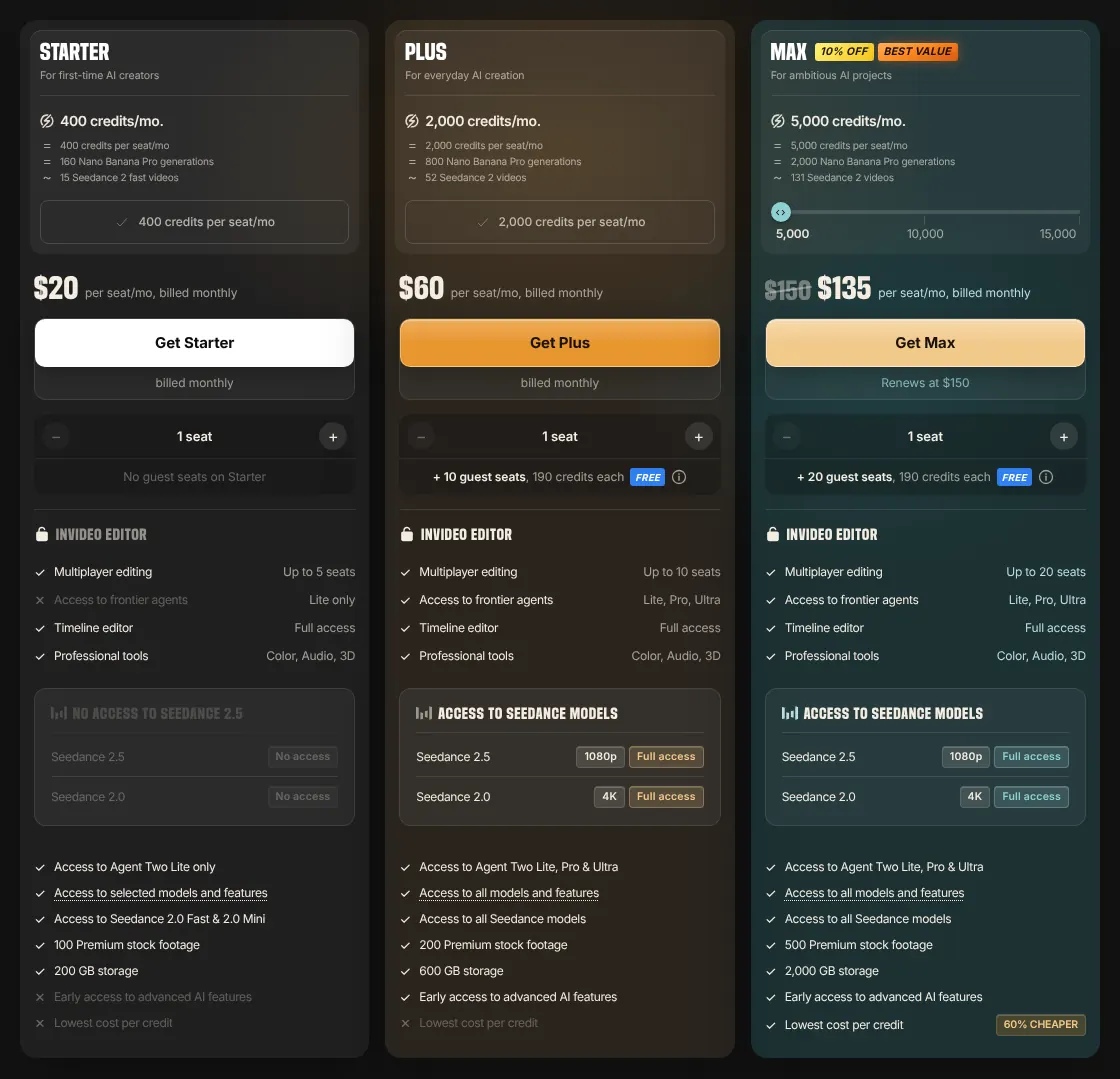
All ten tools can generate sound with the video, through models such as Veo 3.1, Seedance or their own. That saves a separate music or voice step for short social clips. For a brand film, you may still prefer a voice you recorded. Lip sync, which matches mouth movements to a voice, is also offered by all ten, so the difference lies in which models each plan opens.
5. Check the devices you will use
If you create on a phone, check the app first, because coverage is uneven. Higgsfield and LTX Studio have no phone app. Krea and Pika run on iPhone only. Someone who works from an Android phone can drop these four at once and keep, for example, Kling AI or Vidu.
6. Use the free plan before you pay
Test your own prompt before you subscribe, because free offers differ sharply. Google Flow renews 50 credits a day and Krea 100 units a day. Runway gives 125 credits only once, and Pika gives no monthly credits at all. Run the same two prompts through two shortlisted tools and keep the one whose clips you would publish.