The score only shortlists: all ten services sync files (keep the same folder identical on every device), share links and keep earlier versions. Six checks narrow the list to one or two. Each rests on facts read on the providers' own pages on 14 November 2026.
1. Measure the space you use today
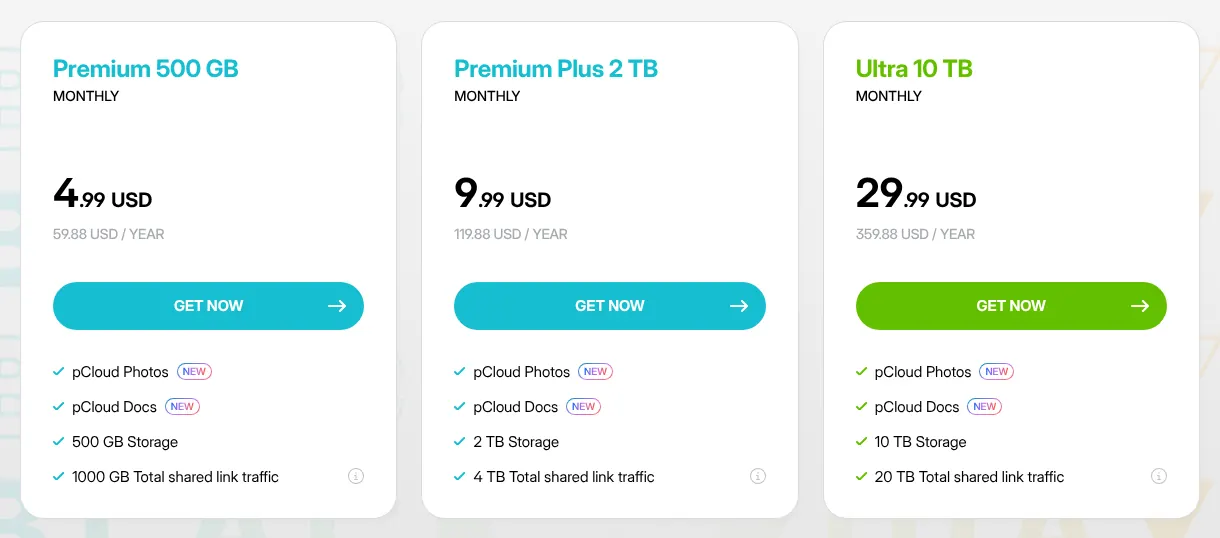
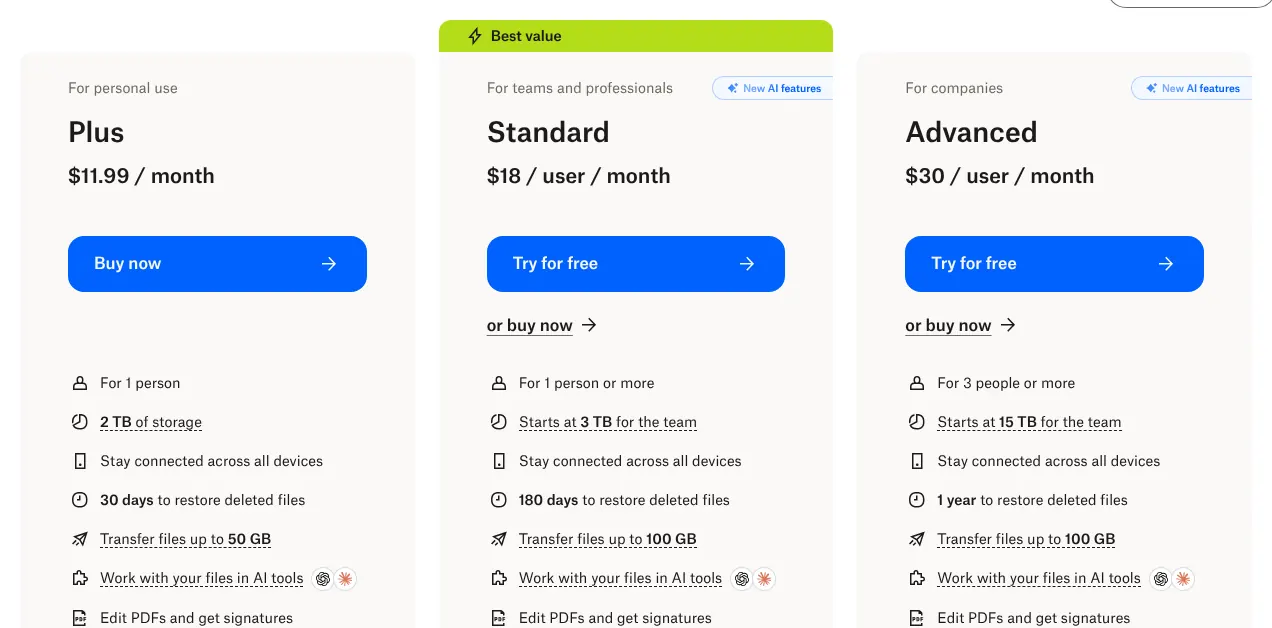
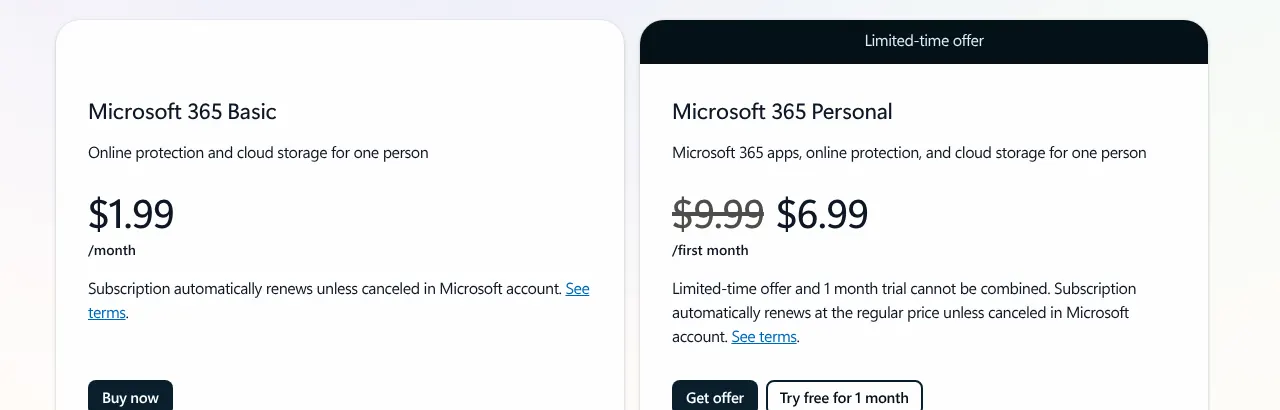
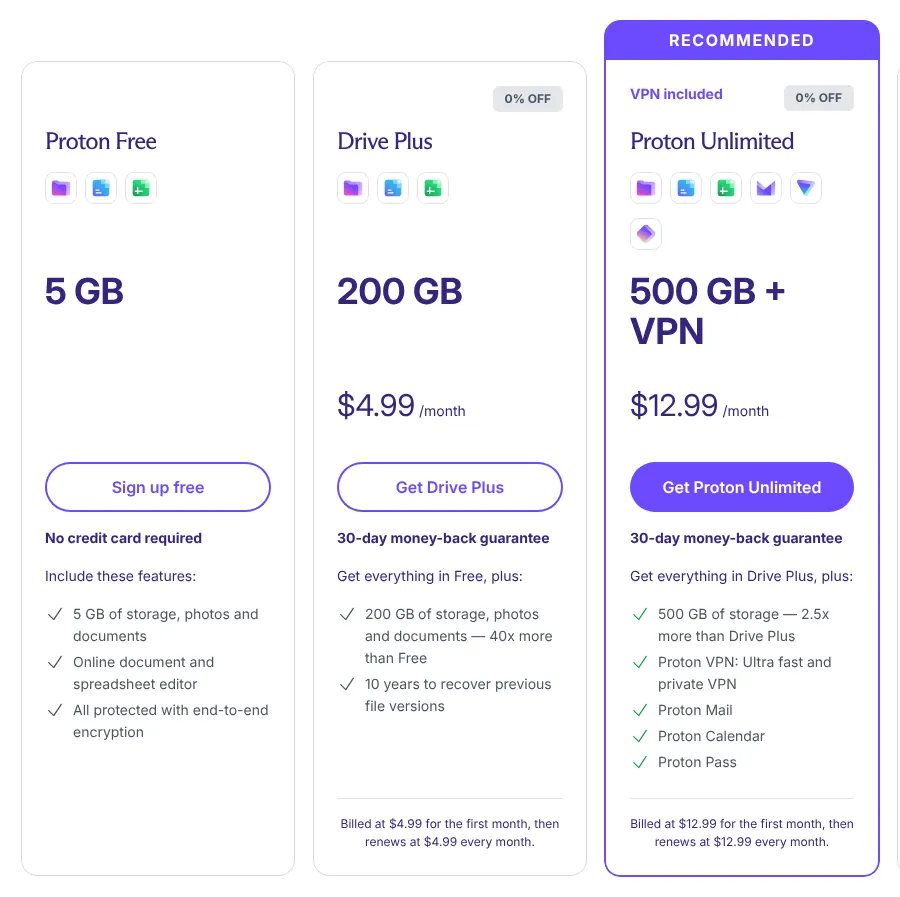
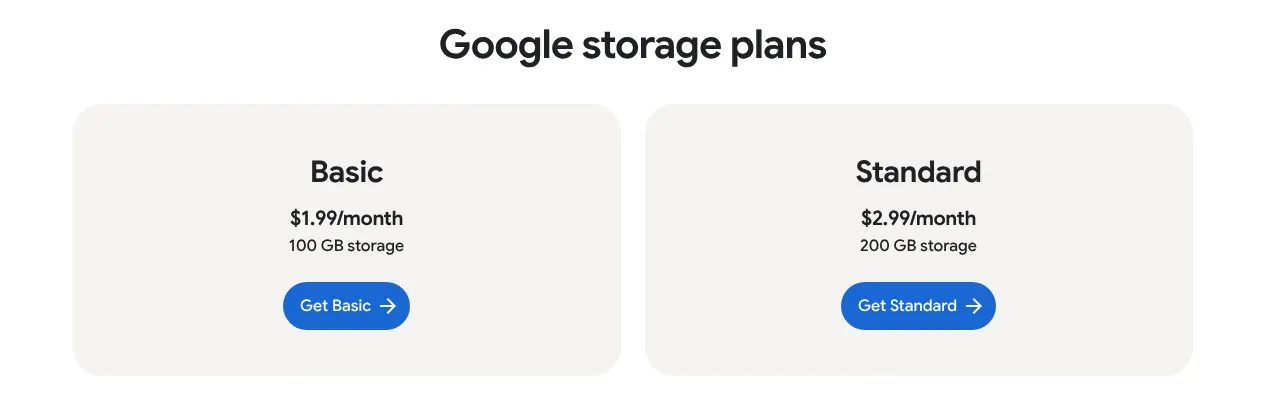
Start with the number of gigabytes you need, because entry plans differ a lot in size. Google One Basic and Microsoft 365 Basic stop at 100 GB. Proton Drive Plus holds 200 GB and pCloud Premium 500 GB. Dropbox Plus starts at 2 TB, which is 2,000 GB.
A family photo library of 400 GB fits in pCloud Premium for $4.99 a month. It does not fit in the two 100 GB plans. With Dropbox, the same library costs $11.99 a month and leaves room to grow. Check the storage figure in your phone or computer settings before you compare prices.
2. Decide who may read your files
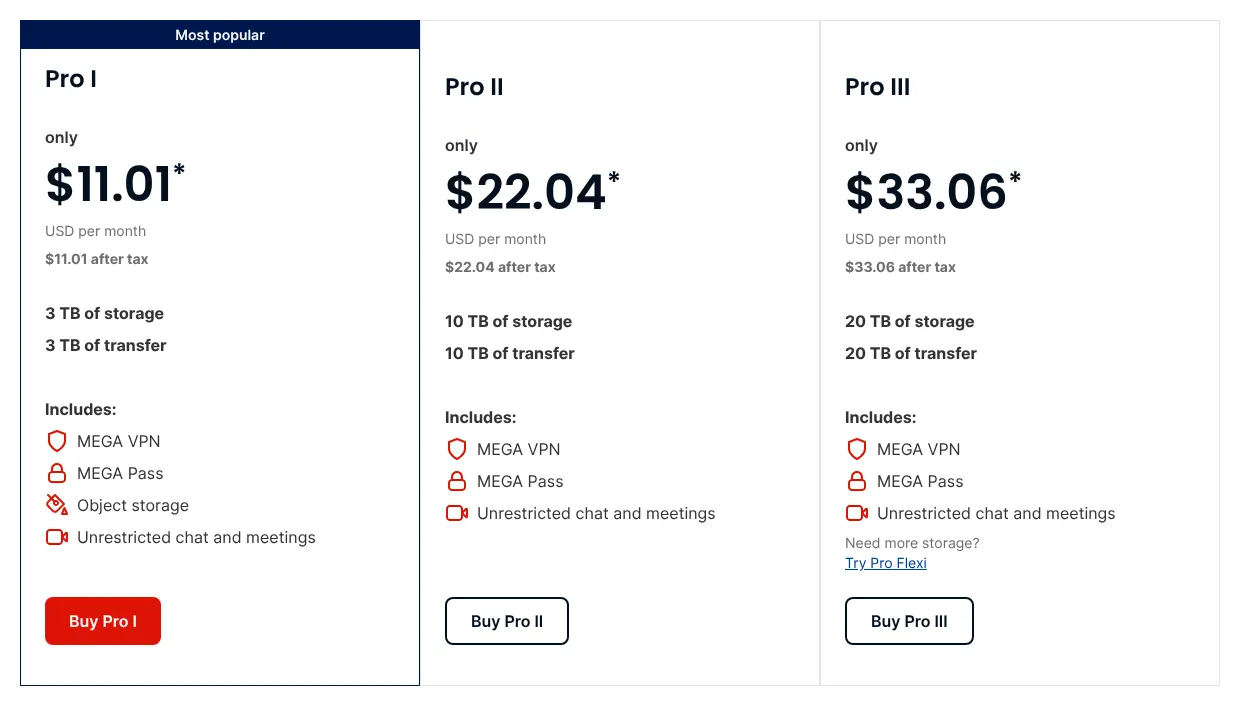
Every service encrypts files on its servers, but most keep the keys. End-to-end encryption locks files on your device with a key the provider never holds, so its staff cannot open them. Sync.com, Proton Drive, Tresorit and MEGA apply it to every file.
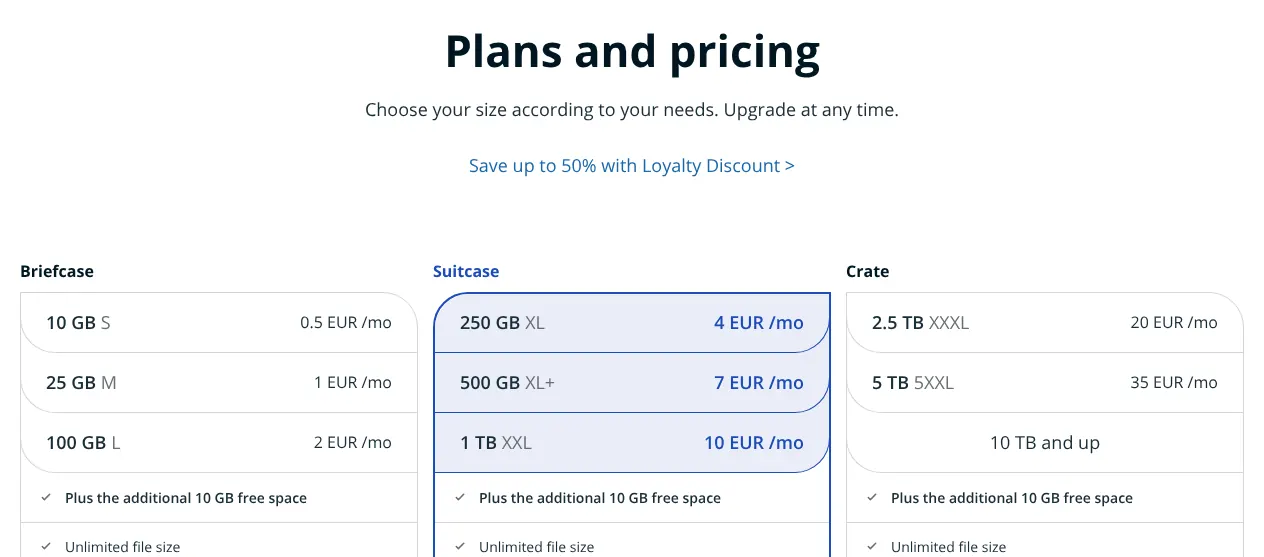
The others limit it. pCloud sells it as an add-on on personal plans. Koofr applies it only inside Koofr Vault, a separate folder. Dropbox and Google keep it for business plans, and no such option was found at OneDrive or Egnyte. If your files hold health, legal or tax records, pick a service that encrypts everything.
3. Check how long mistakes can be undone
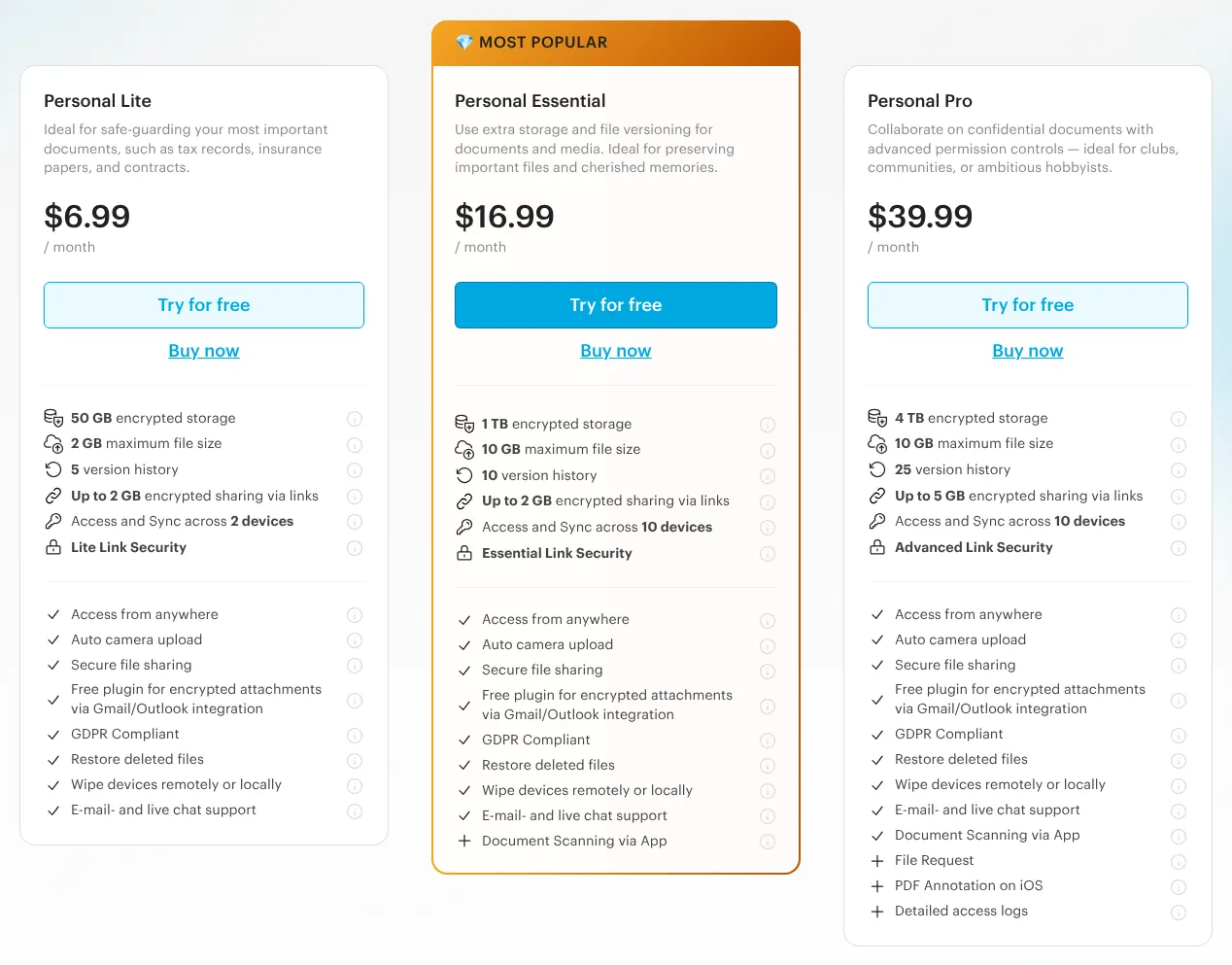
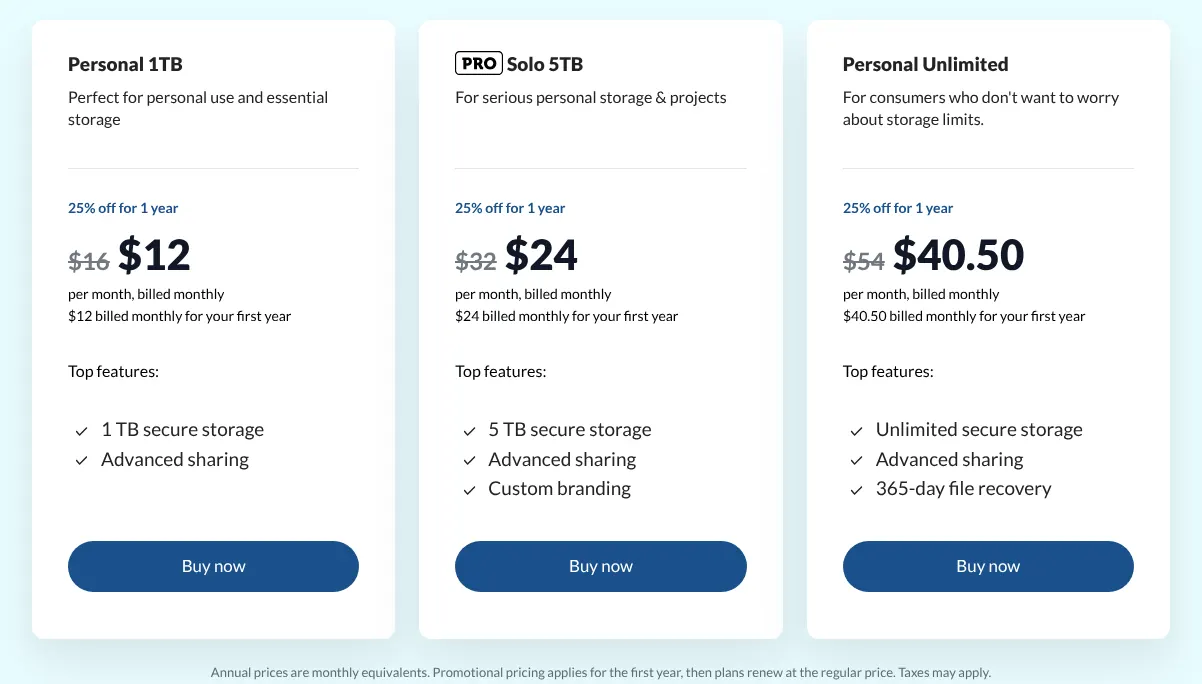
Version history keeps the earlier states of a file, so an overwritten document can be brought back. Dropbox Plus keeps versions and deleted files for 30 days. Sync.com keeps them for 90 days on Personal 1TB. Tresorit Personal Lite keeps 5 earlier versions of each file.
A rollback goes further: it returns a whole folder or account to a past date. pCloud and OneDrive do it for the last 30 days, and Dropbox calls it Rewind. MEGA and Tresorit do a narrower version: they bring back the files deleted from a folder over a chosen period. If a virus or a sync error ever scrambles hundreds of files, that rollback saves hours.
4. Read the sharing options of the plan, not of the brand
A provider can document a sharing feature that its cheapest plan does not include. Dropbox reserves passwords on links for Professional and team plans, so Plus has none. pCloud and MEGA reserve them for paid accounts. Google Drive offers no password on a link at all.
Upload links work the other way round: other people drop files into your storage without an account. pCloud and Dropbox offer them, while OneDrive keeps them for work and school accounts. If you collect documents from clients, open the plan card and check that both features are listed.
5. Compare monthly and yearly billing
Yearly billing means paying twelve months at once, usually for less. Dropbox Plus costs $11.99 a month billed monthly and $9.99 a month billed yearly. Microsoft 365 Basic costs $1.99 a month or $19.99 a year.
Some services sell no monthly plan at all. Koofr and Egnyte bill only by the year. Sync.com and Proton Drive ran first-year offers on 14 November 2026, so the second year costs more. Pay monthly while you test a service, then compare the regular yearly price before you commit.
6. Count the people who need an account
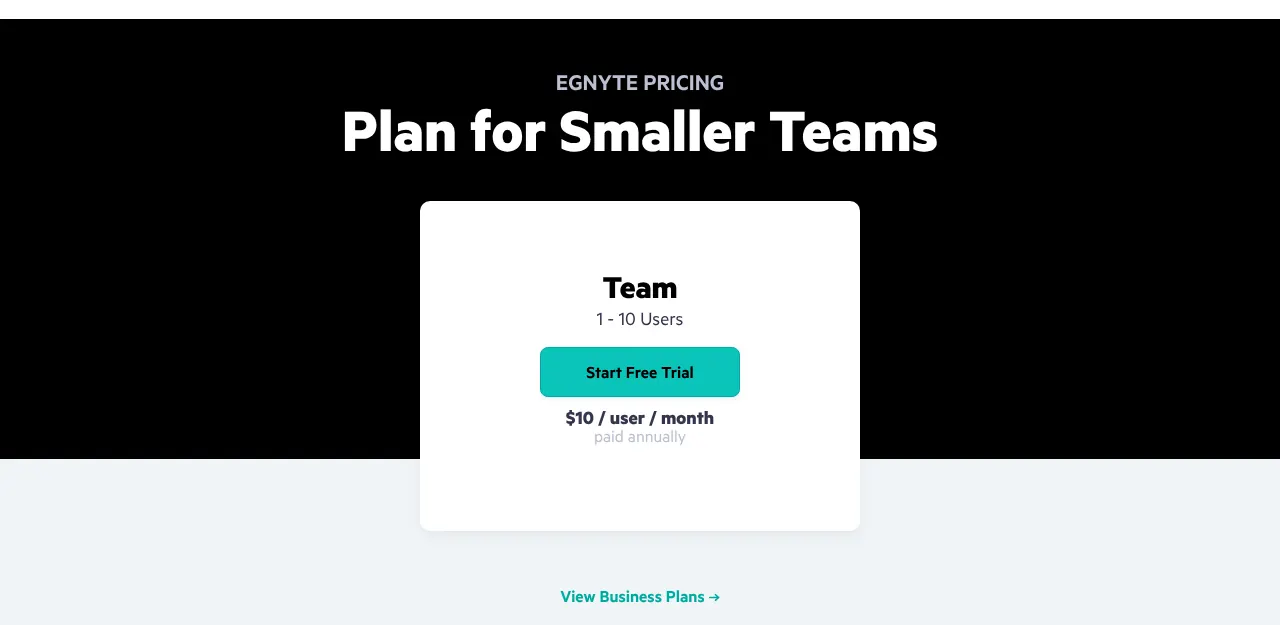
Most team plans charge per user, and four set a minimum. pCloud Business, Sync.com Teams, Tresorit Business and MEGA Business each start at 3 users. A team of three pays $24 a month on Sync.com Teams 1TB and $29.97 on pCloud Business.
The same team pays $54 a month on Dropbox Standard and $87 on Tresorit Business. Koofr sells no team plan. A team plan adds an admin console, a page where one person adds users and removes access. Count everyone who needs a login before you read any price.