The score shortlists; it does not make the choice. All ten publish sites with a free SSL certificate (the padlock that encrypts the connection between visitor and site). Six checks narrow the list to one or two, each based on vendor pages read on 14 November 2026.
1. Start from what the site has to do
Write down what the site must do in its first year, because the plan follows from it. A portfolio or a page that presents a business can stay on the entry plan almost everywhere. Selling, bookings and newsletters often need a higher plan.
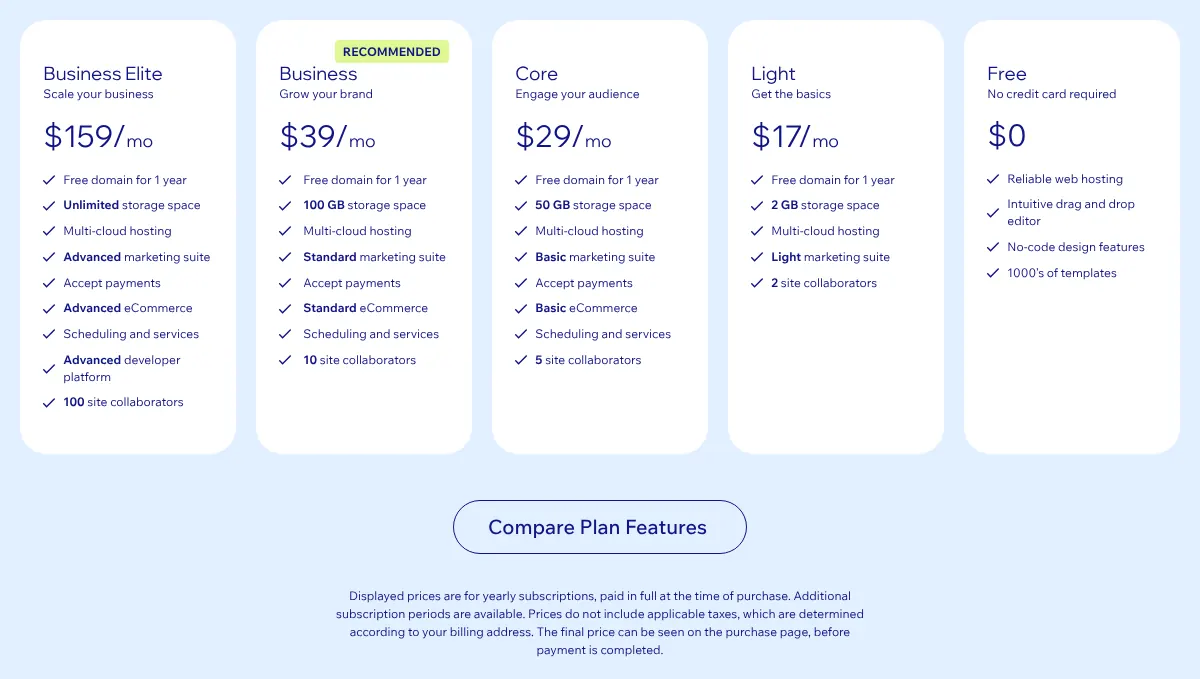
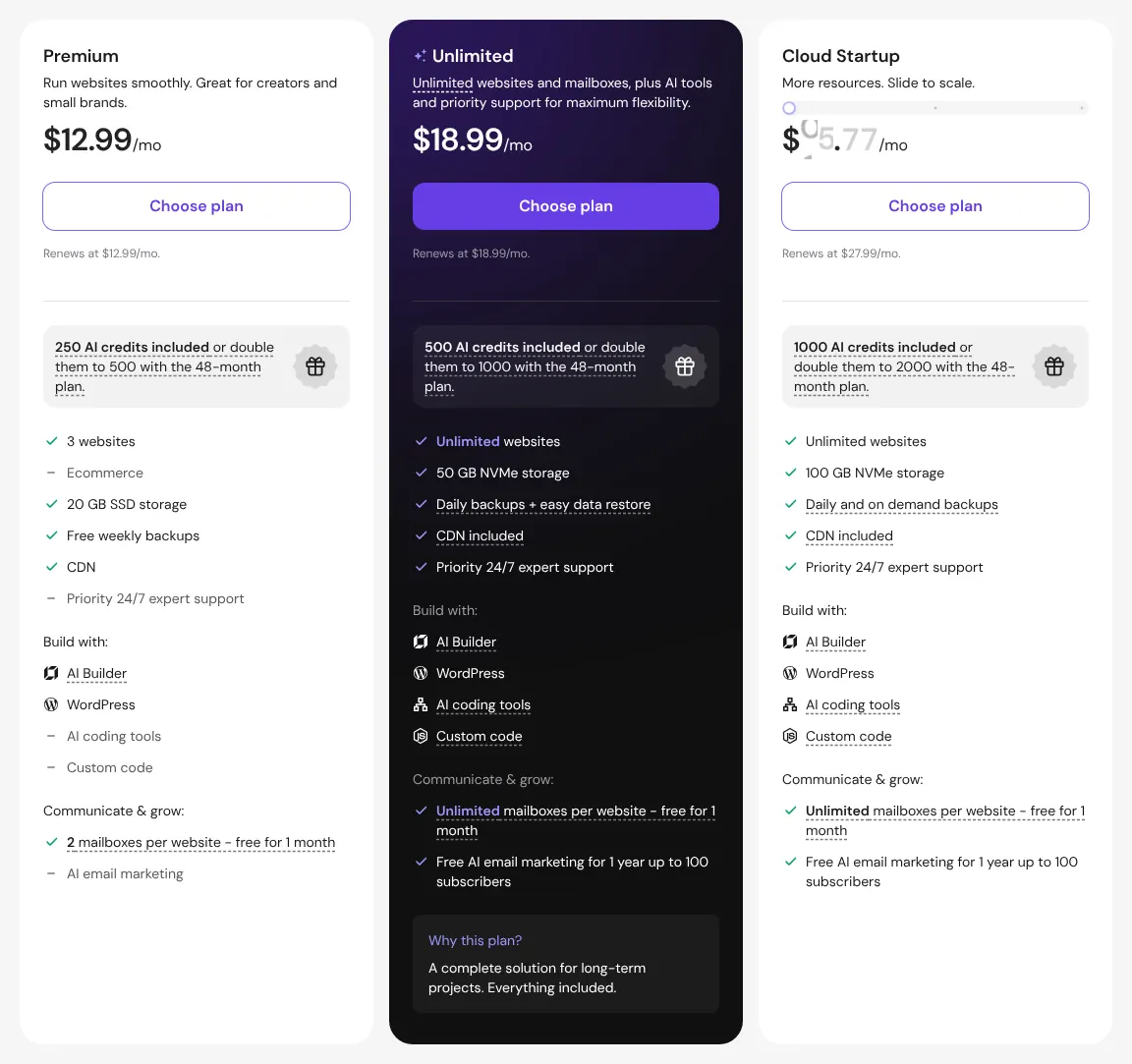
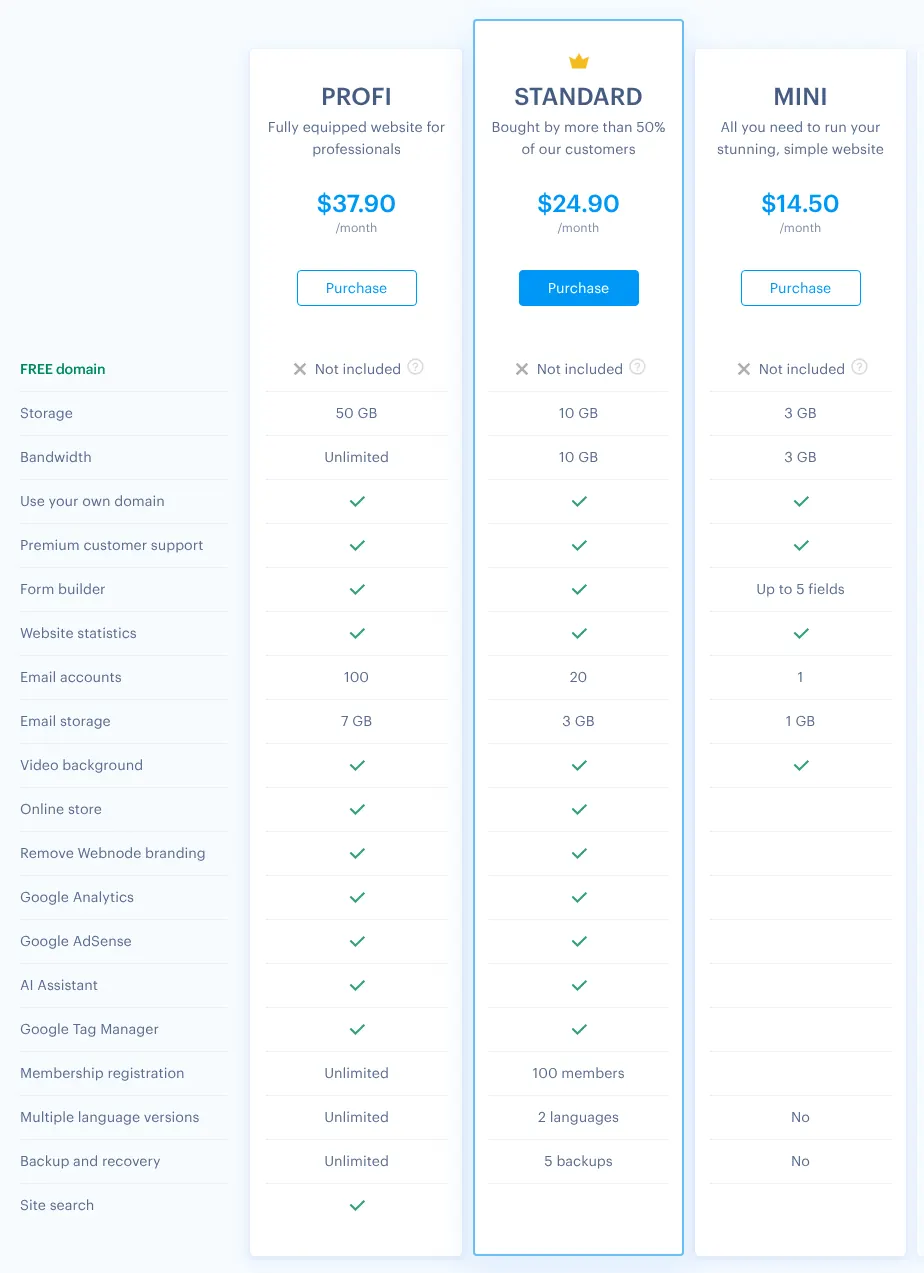
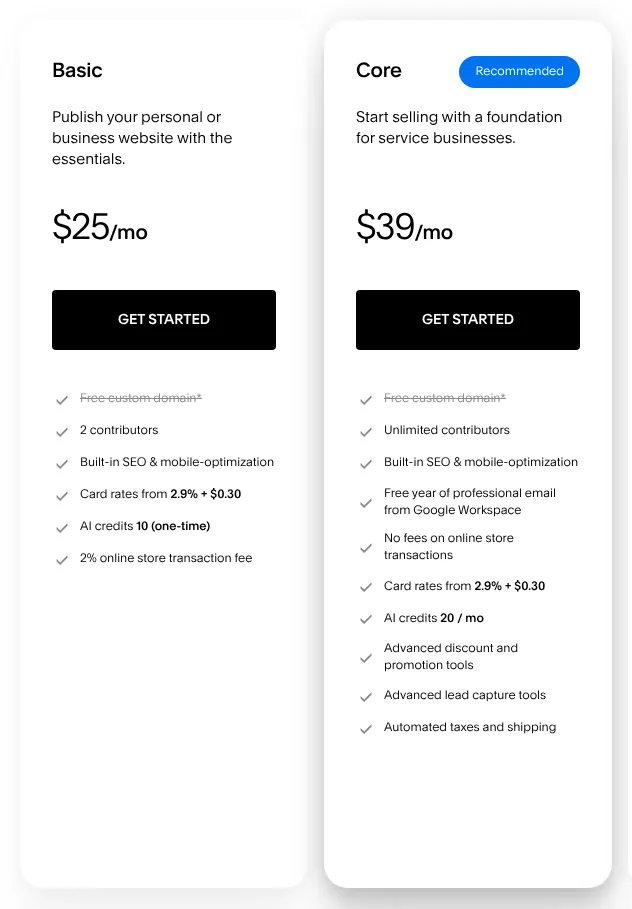
On Wix, payments start on Core at $29 a month billed yearly, instead of $17 for Light. Hostinger sells from Unlimited, Webnode from Standard, and Webflow through a separate store plan. Shopify, Squarespace and Strikingly sell from their first paid plan. If you will sell, compare the store column of the cost table, not the entry prices.
2. Compare the price you will pay each month
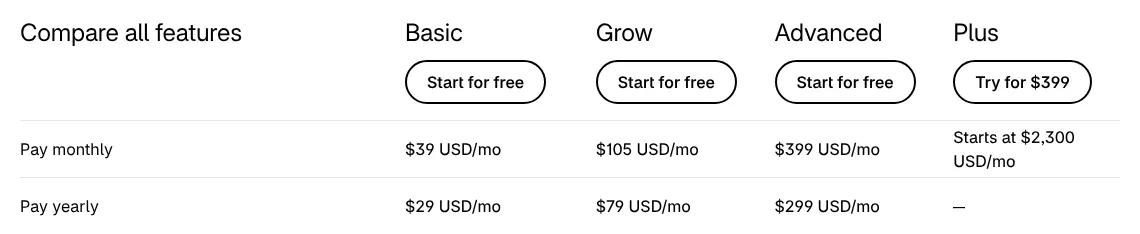
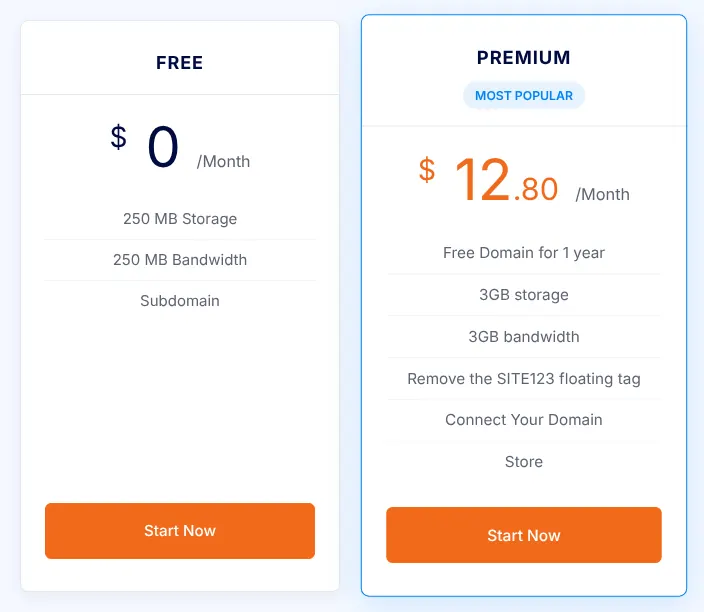
Most vendors show the yearly price first, because it is lower, and yearly billing means paying twelve months at once. Wix shows no monthly price at all on its plans page. SITE123 sells nothing shorter than three months.
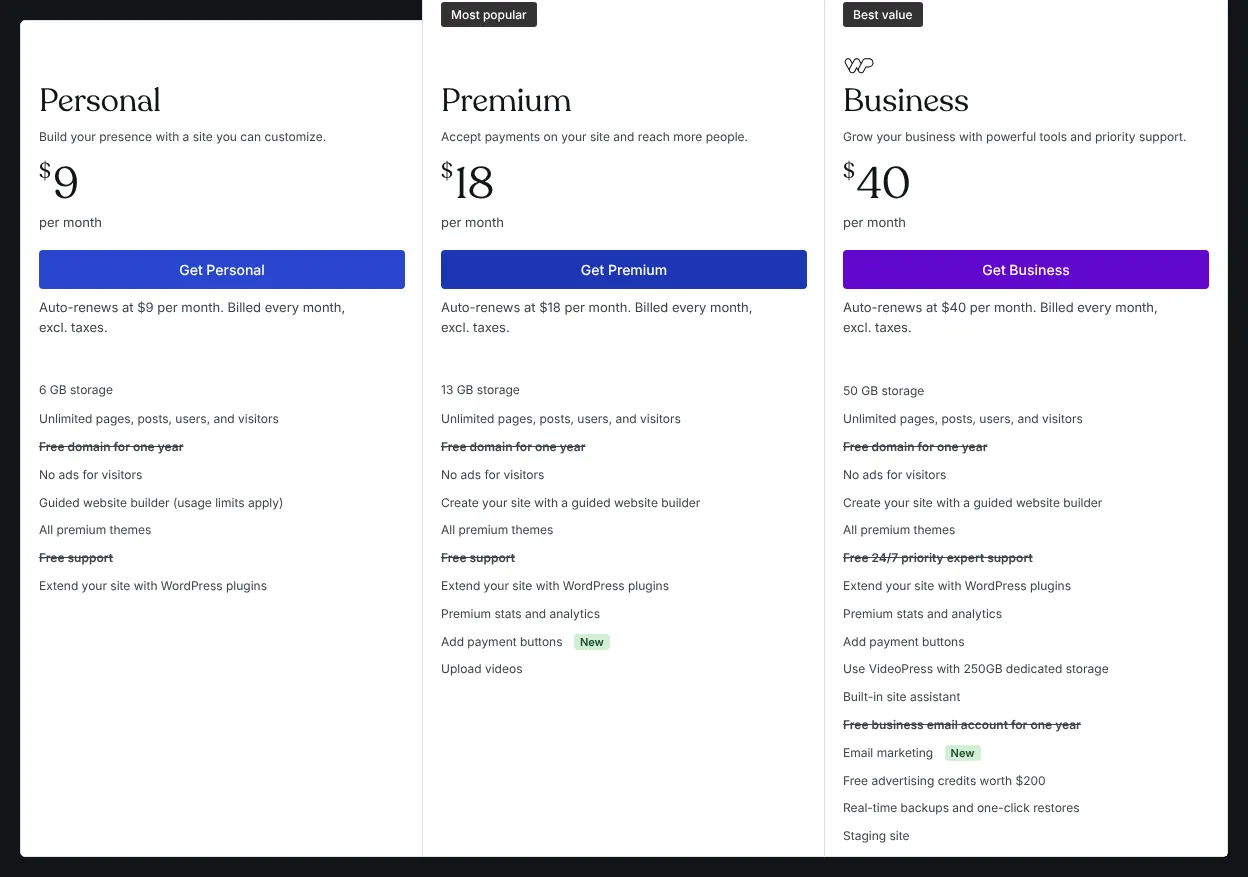
Look at the renewal price too, the price after the first term. WordPress.com Personal costs $4 a month in its first year on a yearly plan, then renews at $5. Billed monthly, the same plan costs $108 over twelve months. Pay monthly while you test a tool, and switch to yearly once you are sure.
3. Decide how much layout control you need
Builders differ in how freely you can place things on a page. Wix and Webflow offer drag-and-drop editing. Strikingly and SITE123 fill ready-made sections instead, which leaves fewer layout choices.
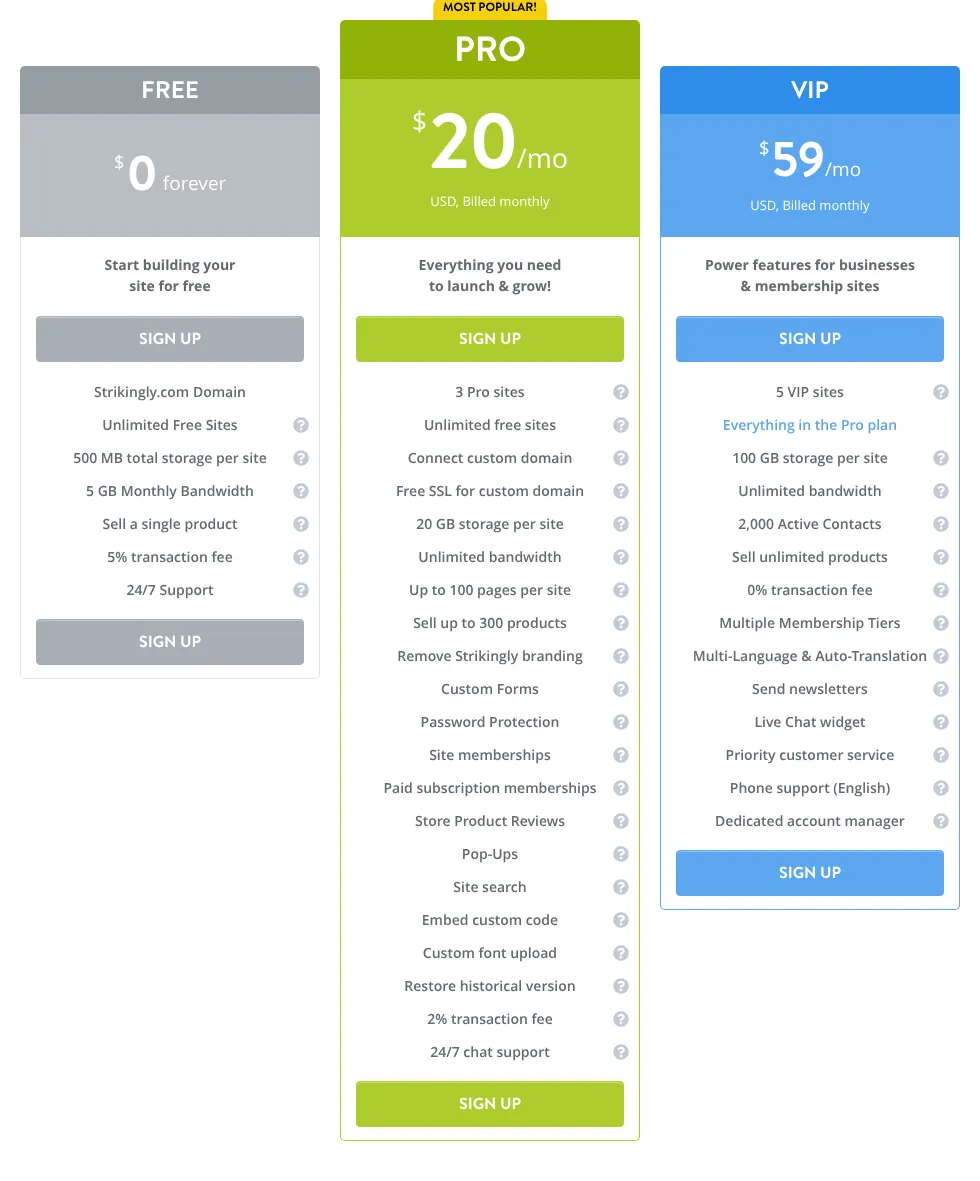
Some tools also let you paste your own HTML, the code web pages are written in, to add a booking widget or a chat window. Squarespace keeps this for Core, Webnode for Standard, Strikingly for Pro and Duda for Team. If you know you will need outside widgets, check the code column of the summary table before you pay.
4. Plan for the domain and its renewal
A custom domain is the site's own address, such as yourname.com, instead of an address on the builder's domain. Most of these tools give one free for the first year, but only on yearly billing. WordPress.com, Squarespace, Webnode and Wix leave it out of monthly plans.
From the second year, the domain is paid. A .com renews at $13.35 a year on Wix, and domains start at $20 a year on Squarespace. Count that cost when you compare a monthly plan with a yearly one.
5. Check what you can take with you
Moving a finished site from one builder to another is rarely simple, so choose with the next few years in mind. A SITE123 site cannot be downloaded at all. Framer, a candidate outside the ten, offers no HTML export for hosting the site elsewhere. A Shopify store can be copied out through CSV files (simple spreadsheets of products and orders).
Keep your own copy of texts and photos wherever you build.
6. Read the limits of the free plan
Six of the ten show a free plan, and each is made for trying the editor, not for a finished site. Wix shows its ads and cannot take payments. WordPress.com shows ads and allows 1 GB of storage. Strikingly sells a single product, with a 5% fee.
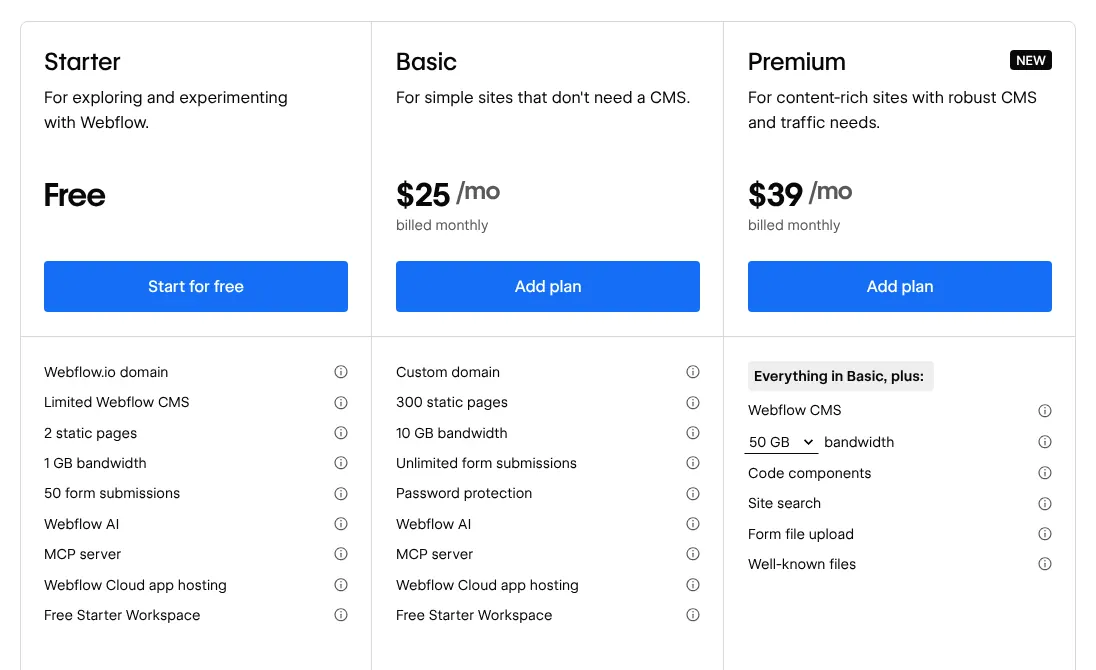
SITE123 runs a store for free with 250 MB of storage. Webnode's free plan has no ads, but its forms cannot be published. Webflow's Starter plan publishes 2 static pages. Use a free plan to test the editor with your own text, then move to a paid plan before you share the address.