All ten keep notes in folders or notebooks, search their text and sync between devices, so the score only builds the shortlist. Six checks narrow it to one or two apps. Each check rests on vendor pages read on 17 November 2026.
1. Find the limit of the free plan
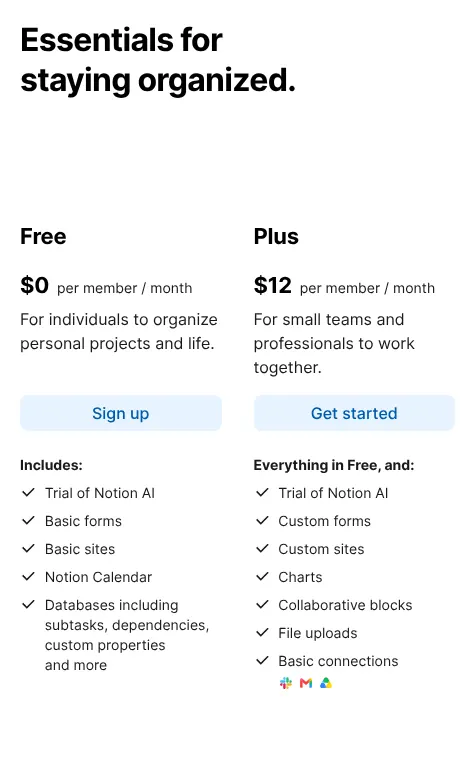
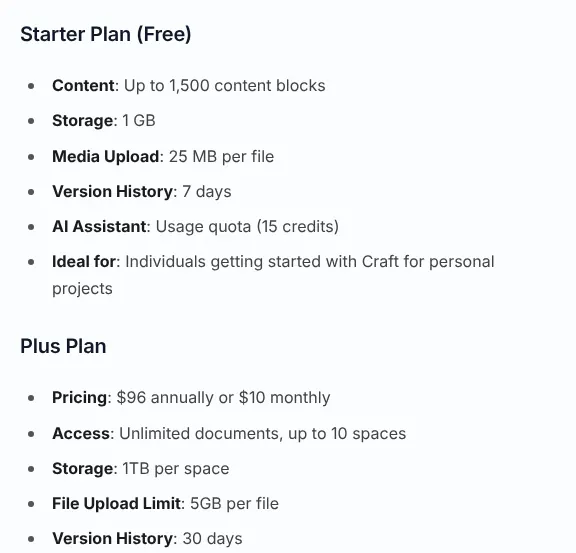
Every app on this page can be used for free, but the limits differ widely. Evernote Free holds 50 notes in 1 notebook, on one device at a time. UpNote Free also stops at 50 notes. Craft's free plan stops at 1,500 content blocks, the paragraphs, images and lists its documents are made of. Zoho Notebook Free gives 500 MB of storage.
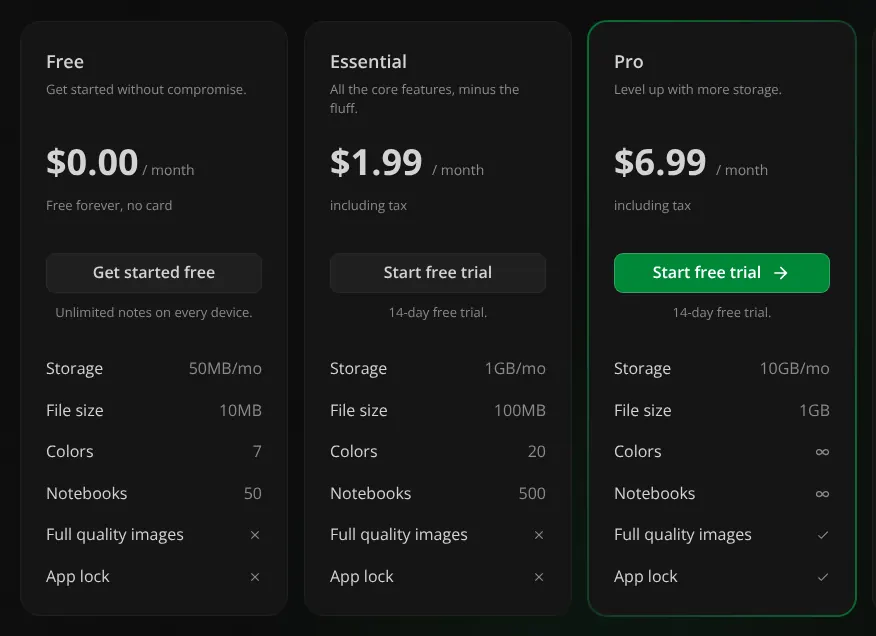
Notesnook Free keeps unlimited notes on unlimited devices, with uploads capped at 50 MB a month. Joplin and Obsidian are free apps; only their own online services cost money. Count your notes before you choose. With 400 notes in another app, Evernote Free and UpNote Free are full on the first import.
2. Decide who can read your notes
End-to-end encryption means notes are locked on the device before they leave it, so the company that stores them cannot read them. Notesnook applies it to every note on every plan. Joplin and Anytype offer it, and Obsidian applies it to notes stored with its Sync service. Evernote only locks selected text with a passphrase. OneNote only locks chosen sections with a password.
Craft and UpNote state that they do not offer it. Notion and Zoho Notebook describe only encryption on their servers and in transit. The protection has a cost: Anytype states that a lost key cannot be recovered by anyone. If you keep health, legal or client notes, pick an encrypted app and store its recovery key offline.
3. Check every device you use
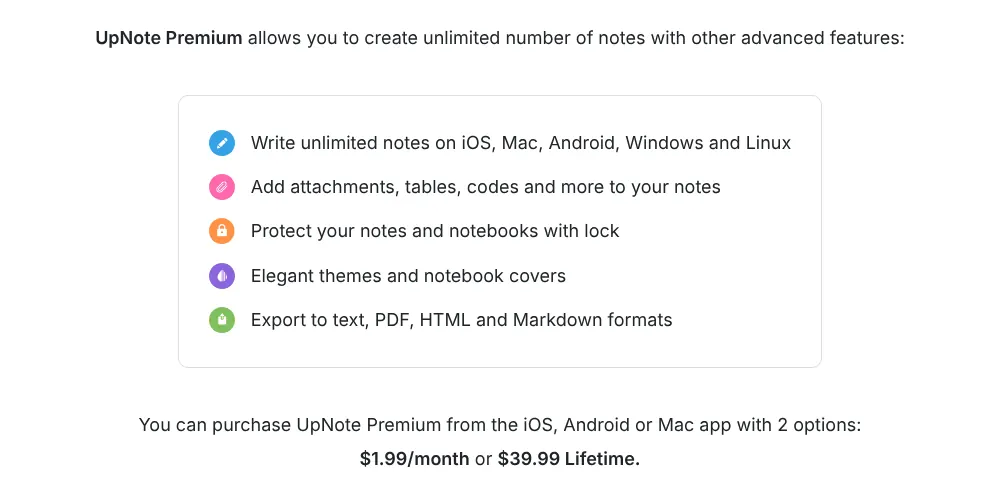
All ten have apps for iPhone and Android and for Windows and Mac. The catch sits in the details. Evernote Free connects one device at a time, and the web version counts as one. UpNote's Premium can only be bought from the iPhone, Android or Mac app, not from Windows or Linux.
Joplin, Zoho Notebook, Notesnook, Anytype, UpNote and Obsidian also list a Linux app. Take a Windows laptop, an Android phone and a work Mac: three devices. On Evernote, that means Starter at $14.99 a month. On Notesnook, the free plan covers all three.
4. Check whether others can edit, not only read
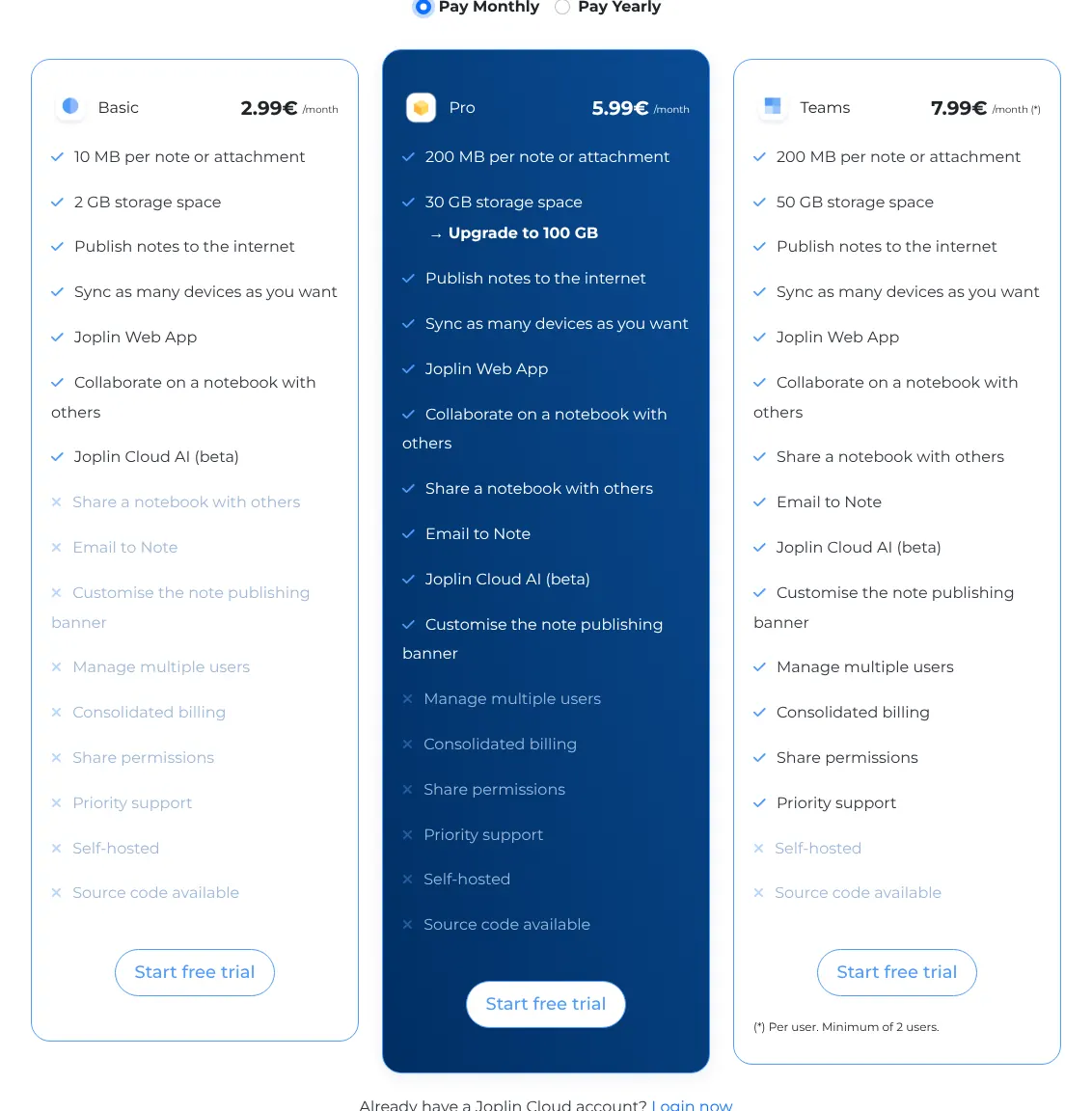
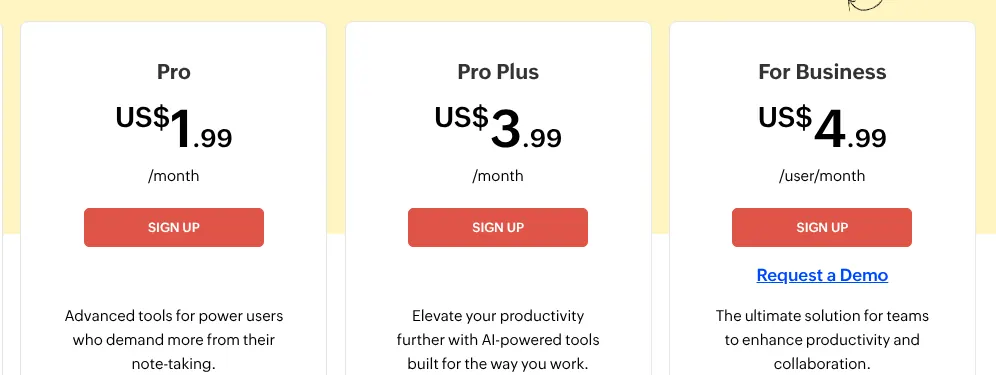
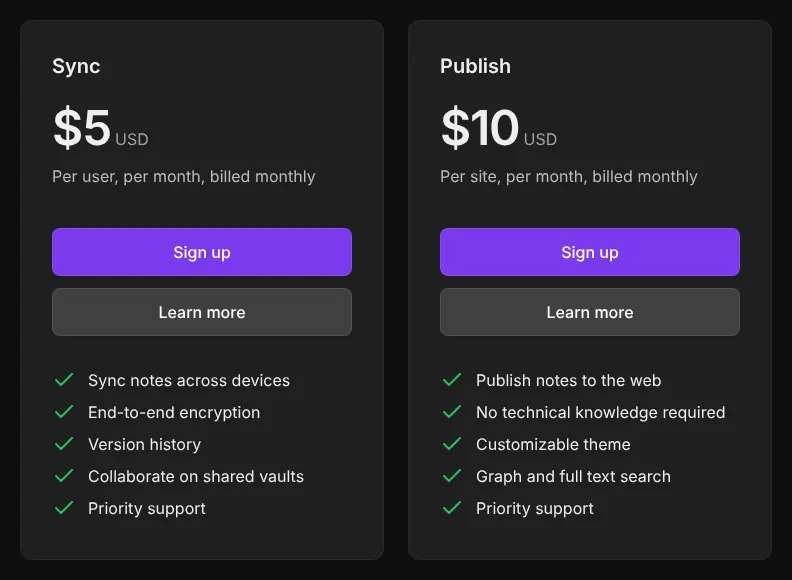
Shared editing means another person can change a note, not just view it. Notion, Evernote, OneNote, Craft and Anytype let invited people edit. Zoho Notebook gives edit access from Pro, at $1.99 a month. Joplin needs Pro, at €5.99 a month, to start a shared notebook. Obsidian shares a vault only when every collaborator pays for Sync.
Notesnook and UpNote only share a read-only web link. If two people must edit the same shopping list or meeting notes, leave those two aside. For a team of five on Obsidian, shared editing costs $25 a month, five Sync plans at $5.
5. Decide whether search must read photos and handwriting
Some apps read the text inside photos and PDFs, so a scanned receipt turns up in a search. Evernote, OneNote, Joplin and Zoho Notebook do this, Zoho on Pro only. Notion makes uploaded PDFs searchable on its Business plan; search of text in images was not found on its pages. Craft and Notesnook state that their search does not read images or PDFs.
Handwriting follows a similar split. OneNote and Zoho Notebook let you draw or write by hand in a note. Evernote inserts sketches into notes and marks up images and PDFs. Joplin's phone apps draw, while its desktop app needs a plugin. Craft and UpNote draw on iPhone and iPad only. On Zoho Notebook, photo search costs $1.99 a month; on Joplin, it costs nothing.
6. Plan the way out before the way in
An export to open files allows notes to move to another app later. Obsidian's notes are already Markdown files, plain text that any editor opens. UpNote reserves export to PDF and Markdown for Premium. Anytype imports and exports in its desktop app only. Evernote exports from its desktop app only, as its own file or as HTML (the format of web pages).
Coming from Evernote, check the import first. Joplin, Zoho Notebook, Notion, Craft, Notesnook and UpNote document an import from Evernote, and Obsidian uses a plugin. Anytype points to a converter made by a community member. Before you move 2,000 notes, import 20 and check that attachments and links survived.