A high score says a tool covers many common features, not that it fits every person. Six checks bring the list down to one or two tools. Each one rests on facts read on 17 November 2026.
1. Decide whether you change the text or only fill and sign
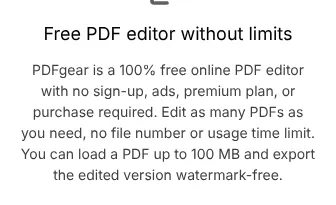
Start by listing what you do with PDFs, because many people never change the text itself. The free Acrobat Reader views, comments on, fills and signs files. The free Foxit PDF Reader does the same after the Foxit trial ends. If you also need to rewrite a paragraph, you need an editor. PDFgear does that for $0 in its desktop app, where Acrobat Standard costs $14.99 a month on a one-year contract.
2. Compare the monthly and the yearly price
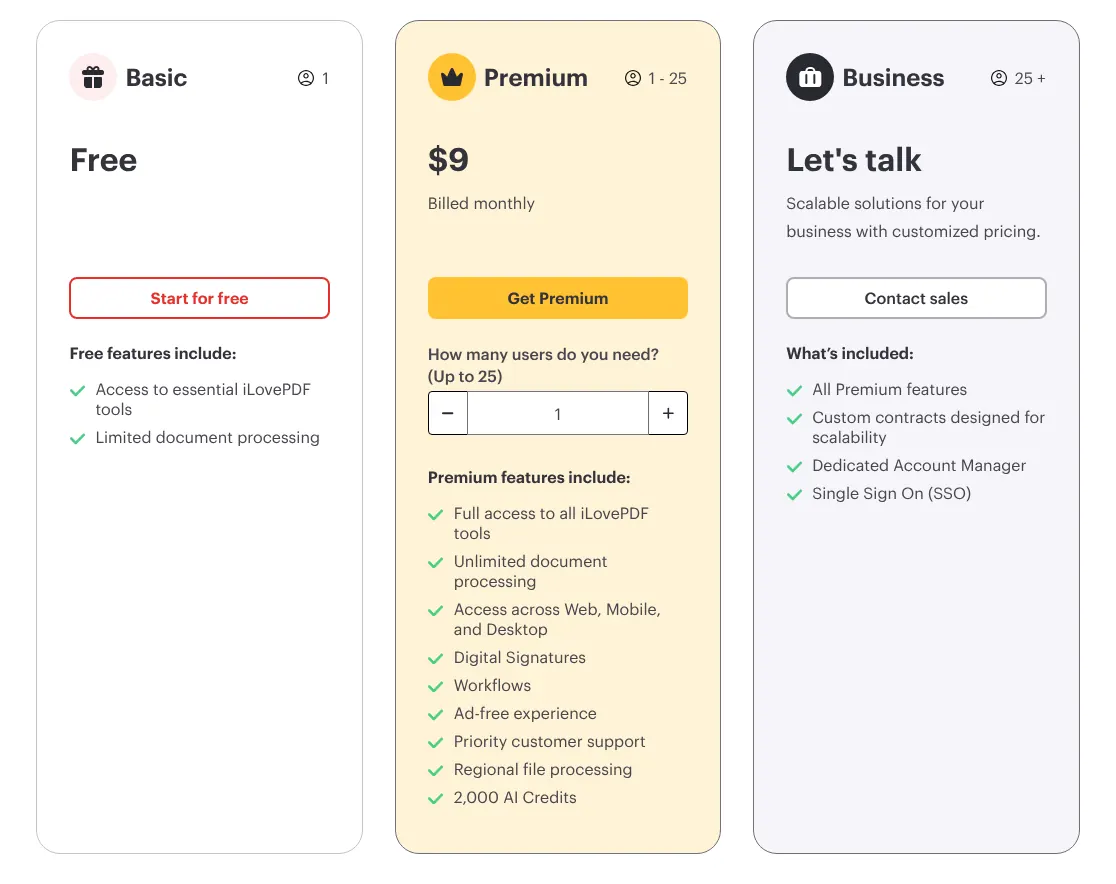
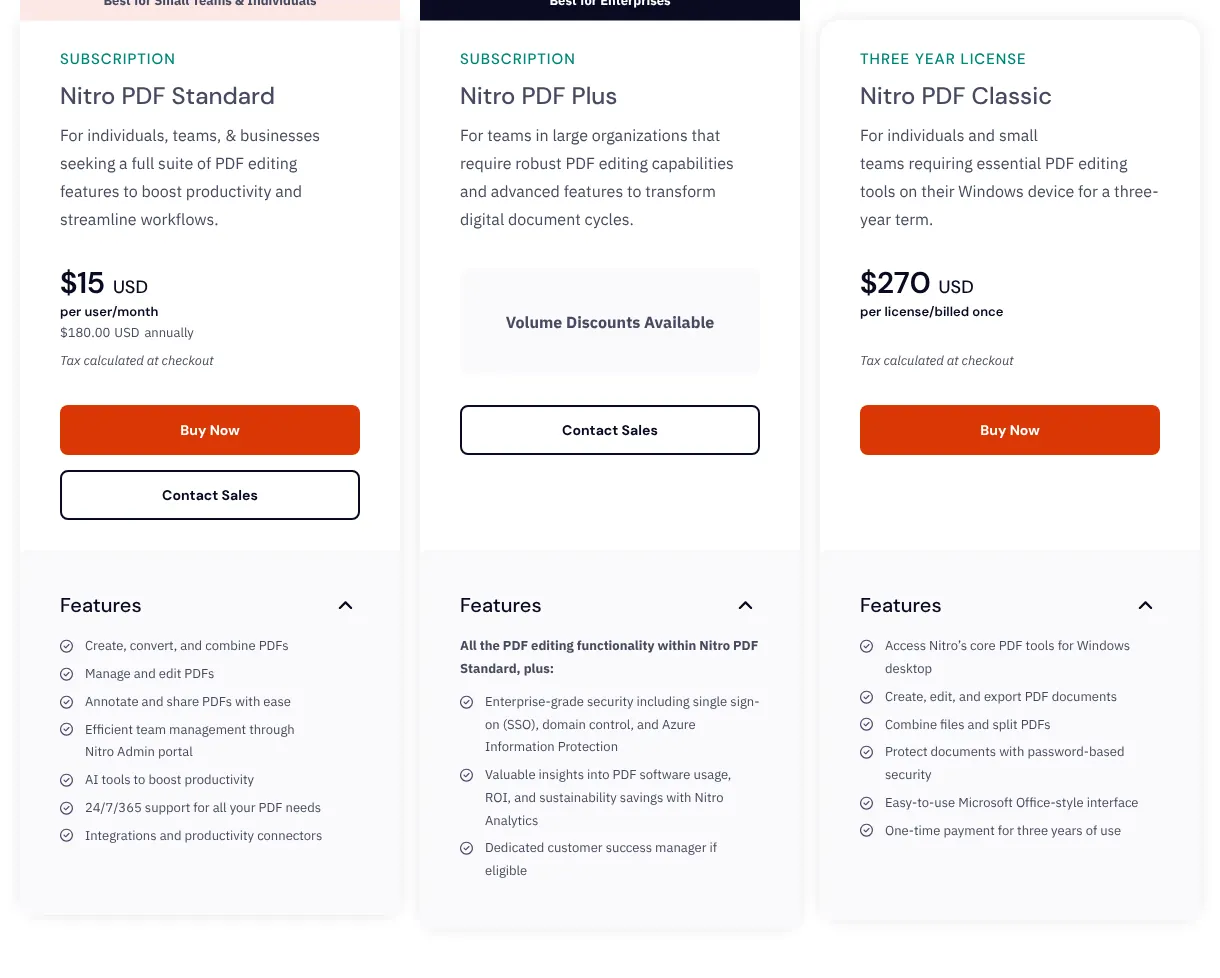
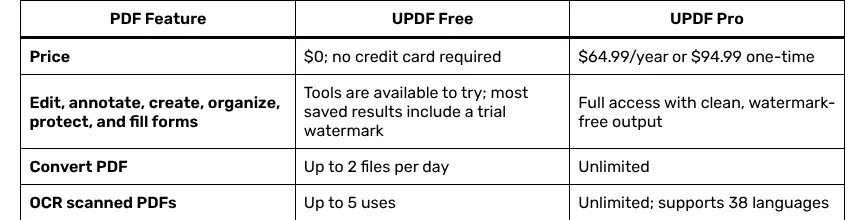
Check which billing period a price belongs to, because several editors sell only yearly plans. Nitro PDF Pro, PDFelement and UPDF have no monthly plan. For a one-month project, a monthly plan costs less in total. iLovePDF Premium costs $9 for one month, against $60 for a full year.
3. Count the computers and phones you use
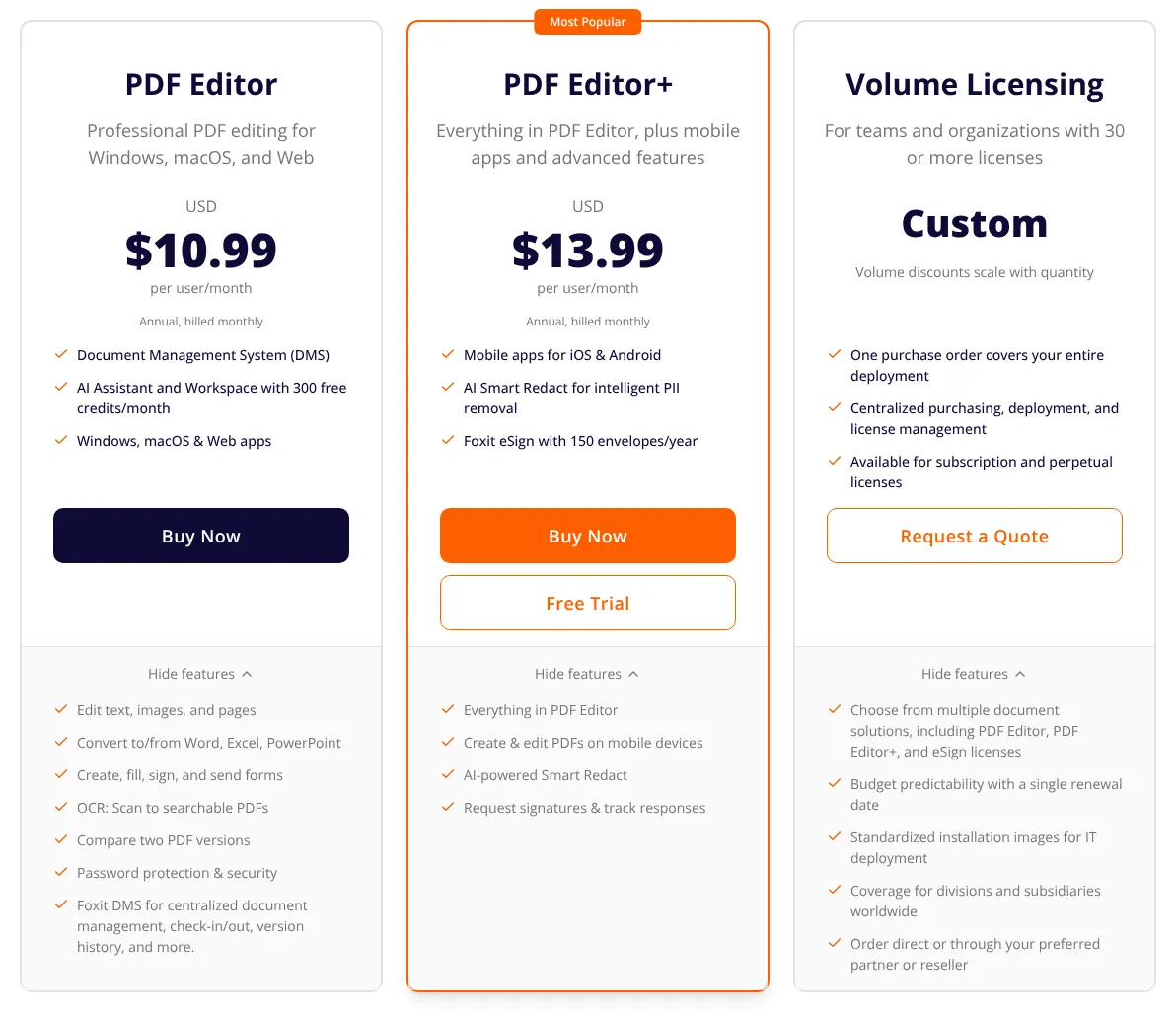
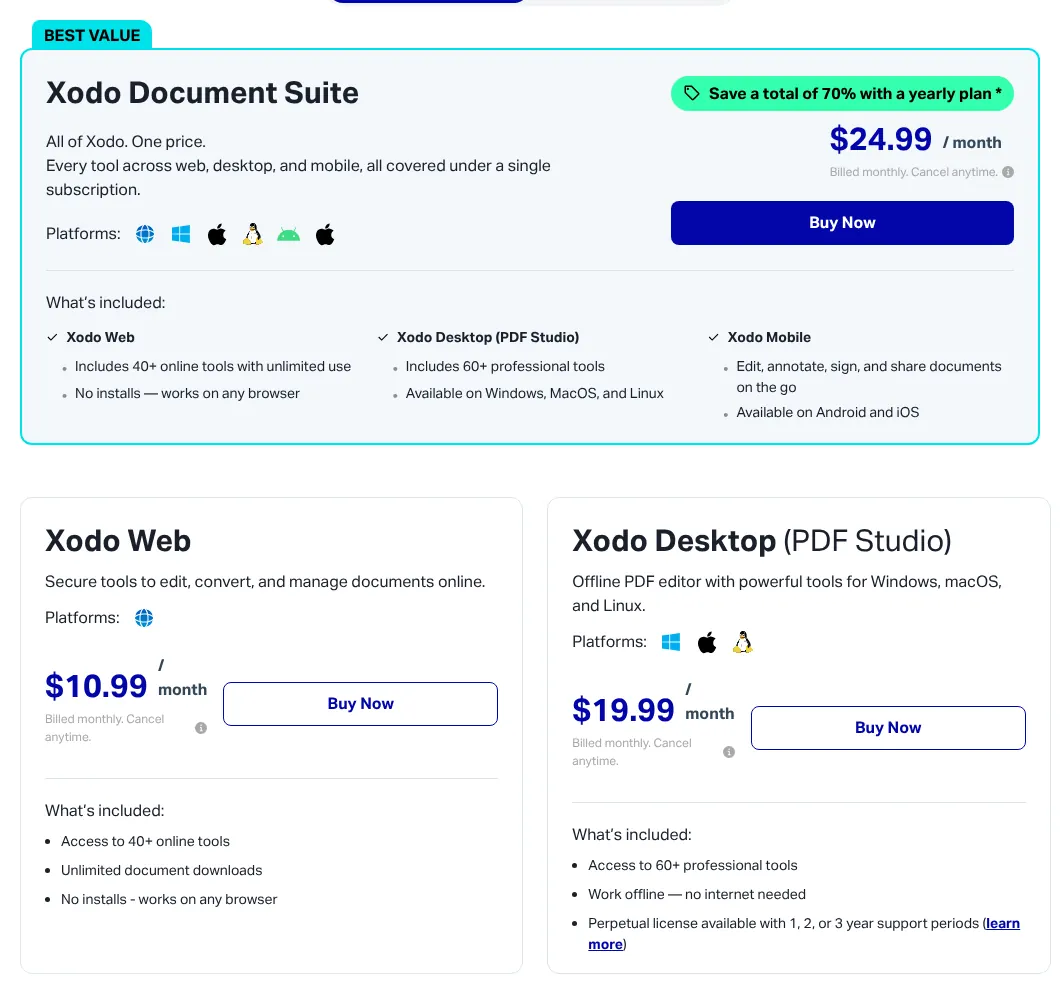
Check where each tool runs before you pay, because some leave out a platform. Soda PDF has a desktop app for Windows only. Xodo Web runs only in a browser, and the desktop app is a second subscription. Foxit's phone apps come only with PDF Editor+. One UPDF licence at US$64.99 a year covers four devices, such as a laptop, a desktop and two phones.
4. Check how many documents you send for signature
Look at the signature limit if you send contracts, because most editors cap it or sell it apart. PDFelement allows 3 signature requests and UPDF allows 20 a year. Foxit PDF Editor+ includes 150 envelopes a year; an envelope is one sending to signers, which can hold several documents. Nitro, Xodo and Lumin sell signing as a separate product. A business that sends 10 contracts a month, 120 a year, fits within Foxit PDF Editor+ at $159.99 per user a year.
5. Plan for scanned paper
Check OCR if you work with scans, because it is often missing from entry plans. OCR (text recognition) turns a scanned page into text you can search and edit. On Acrobat it starts with Pro, at $29.99 month to month. Lumin starts it with Pro too. The PDFelement trial leaves OCR out, so test it after you pay.
6. Find out what the AI really costs
Check whether AI is included, because several editors sell it apart. UPDF charges US$69 a year for its AI assistant on top of UPDF Pro. PDFelement includes 50 AI uses, then sells more for US$39.99 a year. Foxit includes 300 AI credits a month. If summaries are the main reason you are buying, PDFgear's AI assistant is free for now.